Smart DNS vs VPN: What Is the Difference?
Key points
- Smart DNS changes only some name lookups and adds no encryption or IP privacy.
- A VPN encrypts all your traffic and replaces your IP with the server's address.
- Smart DNS does nothing on public Wi-Fi, while a VPN protects the whole connection.
- Smart DNS is faster only because it offers no protection, so a VPN is the security choice.
On this page
Smart DNS and VPNs get compared a lot, and the comparison confuses people because they sound similar but do very different jobs. One changes how your device looks up website names. The other encrypts your traffic and hides your address. They are not two flavors of the same thing.
This guide lays out what each one does, where each one helps, and why a VPN is the privacy and security tool while Smart DNS is a lighter convenience feature. We will be honest about the one area where Smart DNS has an edge: raw speed.
To follow the DNS side of this, our explainer on how VPNs work covers where DNS fits into a normal connection.
What DNS Does in the First Place
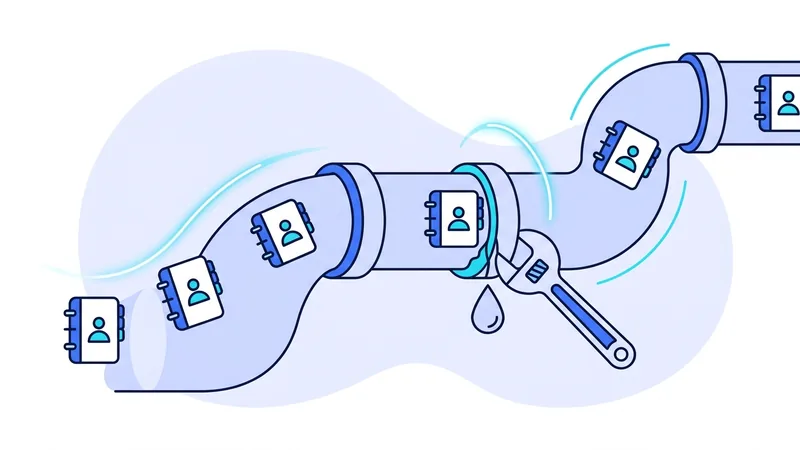
DNS is the internet's address book. When you type a website name, your device asks a DNS resolver to translate that name into a numeric IP address it can actually connect to. This happens constantly and silently before nearly every page load.
That lookup step is the only thing Smart DNS touches. Understanding that one fact makes the whole comparison click into place. Smart DNS works at the name-resolution stage and nowhere else.
What Smart DNS Actually Does
Smart DNS changes how certain website names are resolved for your device. Instead of using your normal resolver, your device uses a Smart DNS service that can answer some lookups in a way that routes those specific connections differently.
Here is the crucial point, and the one the marketing tends to blur. Smart DNS does not encrypt anything. It does not hide your IP address. Your actual traffic still leaves your device the normal way, unprotected, and your internet provider can still see your connections. All Smart DNS changes is the answer to some name lookups.
Because it adds no encryption and reroutes only select traffic, Smart DNS is light. There is almost no speed cost, which is its single real advantage and the reason some people reach for it.
What a VPN Does Instead
A VPN works at a completely different level. It builds an encrypted tunnel from your device to a VPN server and sends all of your traffic through it. That gives you two things Smart DNS cannot: your data is encrypted so observers on the network cannot read it, and websites see the VPN server's IP address instead of yours.
A VPN also handles DNS for you. Your name lookups travel inside the tunnel to the VPN's own resolver, so they are protected along with everything else. That is why running Smart DNS settings on top of a VPN usually causes problems rather than benefits, and can even create the kind of leak described in our DNS leak guide.
Side by Side
| Quality | Smart DNS | VPN |
|---|---|---|
| Encrypts your traffic | No | Yes |
| Hides your IP address | No | Yes |
| What it changes | Some DNS lookups only | All of your traffic |
| Protects on public Wi-Fi | No | Yes |
| Speed impact | Almost none | Some, varies by server and protocol |
| Privacy from your provider | None | Hides your browsing destinations |
Read the encryption and IP rows first. They are the whole story. Smart DNS sits at "no" for both, which means it offers no privacy or security protection at all. A VPN sits at "yes" for both, which is why it is the tool people mean when they talk about staying private and safe online.
The One Thing Smart DNS Does Better
Fair is fair: Smart DNS is faster, because it does almost nothing to your traffic. There is no encryption to compute and no extra server hop for most of your data, so you keep close to your full connection speed.
That speed comes at the price of zero protection, which is a steep cost for anything you care about. If you understand that Smart DNS gives you no encryption and no IP privacy, and your only goal is a small convenience with maximum speed, then its lightness is the upside. But for most goals people have, the missing protection outweighs the speed. A VPN's slowdown is usually modest anyway, and our guide on why a VPN feels slow shows how to keep it small.
Tip: if your reason for considering Smart DNS is speed, first test a VPN on a nearby server with a modern protocol. The difference is often smaller than people expect, and you keep encryption and IP privacy.
Which One Should You Use?
For privacy, security, and safety on networks you do not control, choose a VPN. It is the only one of the two that encrypts your traffic and hides your IP address. On public Wi-Fi in particular, Smart DNS does nothing for you, while a VPN protects the whole connection.
Smart DNS makes sense only in narrow cases where you want a light routing change, you accept that it offers no protection, and speed is your top priority. Even then, many people find a VPN covers the same convenience while adding the encryption and IP privacy that Smart DNS lacks.
If you want to keep things simple, a single fast VPN connection does both jobs. You can try our approach for free on our free VPN plan and see whether the speed meets your needs before deciding you ever needed Smart DNS at all.
Why Smart DNS Is Not a Privacy Tool, and the Risk of Free Services
Smart DNS can help some region-locked streaming work with very little speed loss, but it is important to be honest about what it does not do. Smart DNS does not encrypt your traffic, and it does not hide your IP address. It simply changes how a few requests are answered so a streaming service treats you as if you are somewhere else. Your real connection still looks the same to everyone else.
Because there is no encryption and no hidden IP, your internet provider can still see the sites you visit. Anyone sharing your network, such as people on the same public Wi-Fi, can still see your traffic too. So while Smart DNS may feel similar to a VPN when you are watching something, it leaves your privacy right where it was before you turned it on.
Free Smart DNS services deserve extra caution. Running one of these costs real money for servers and bandwidth, so a free service has to earn that money somehow. In the past, that has often meant logging what users do or selling that information to other companies. A Smart DNS service sees every domain you look up, which puts a shady operator in a strong position to build a profile of your habits.
The takeaway is simple. Pick Smart DNS for speed-sensitive streaming only when you fully understand that it adds no privacy. When privacy is the actual point, lean on a VPN like vpn.now, which encrypts your traffic and changes the IP others see. And be especially careful with free DNS services, since the cost is often paid with your data.
Summary
- Smart DNS only changes how some website names are resolved. It adds no encryption and does not hide your IP.
- A VPN encrypts all your traffic and replaces your IP with the server's address.
- Smart DNS offers no protection on public Wi-Fi or from your internet provider; a VPN does.
- Smart DNS is faster because it does almost nothing, which is its one real advantage.
- For privacy and security, use a VPN. Reserve Smart DNS for narrow cases where speed beats protection.