What Is an IP Address? A Plain English Guide
Key points
- An IP address is the return address that lets websites send replies to your connection.
- It reveals your provider and rough location, not your name or street address.
- Your home shares one public address through the router; devices use private addresses inside.
- A VPN swaps the address websites see, but cookies and fingerprinting still identify you.
On this page
- The Return Address of the Internet
- IPv4 and IPv6: Why There Are Two Systems
- Public and Private Addresses
- Static and Dynamic Addresses
- What Your IP Address Reveals
- How a VPN Changes the Picture
- Common Questions, Quick Answers
- How Accurate Is IP-Based Location, Really?
- Summary
- Frequently asked questions
Every device that talks to the internet needs an address, just like every house that receives mail needs one. That address is the IP address. IP stands for Internet Protocol, which is the set of rules that moves data across networks.
When you load a website, your device sends a request stamped with your IP address, and the website sends the page back to that address. No address, no reply. It is that fundamental, and it is also the reason your IP address says more about you than most people realize.
This guide explains how IP addresses work, what IPv4 and IPv6 mean, what your address reveals, and what tools like VPNs actually change. No networking background needed.
The Return Address of the Internet
An IPv4 address looks like this: 203.0.113.42. Four numbers from 0 to 255, separated by dots. Behind the dots, it is just one large number that uniquely identifies a connection point on the internet at a given moment.
The post office comparison holds up well. When you mail a letter, you write a destination address and a return address. Internet data works the same way. Every chunk of data, called a packet, carries a destination IP and a source IP. Websites need your source address to answer you, which means every site you visit necessarily sees it.
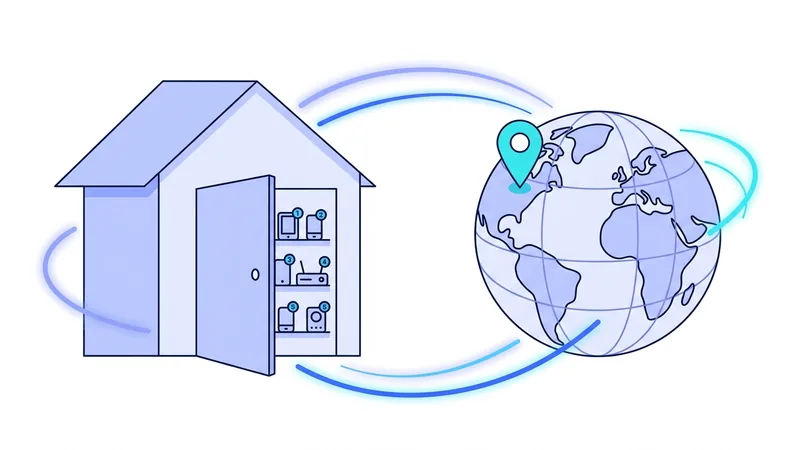
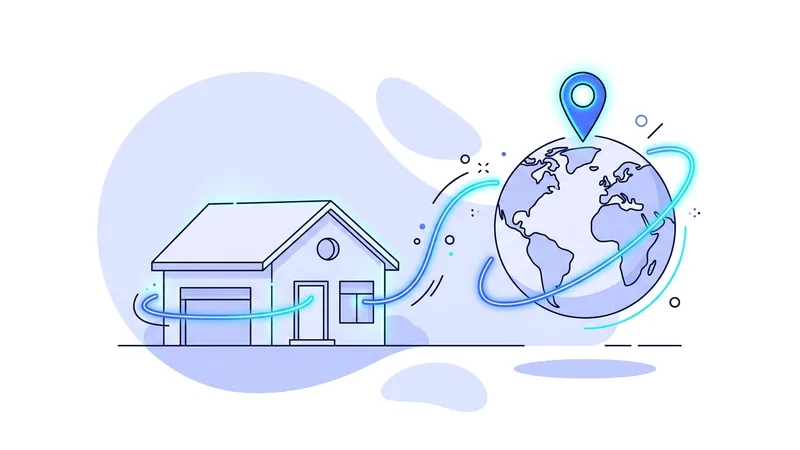
One important detail: in a typical home, the address websites see belongs to your router, not to each phone or laptop. Your router shares one public address among all your devices and keeps track of which reply belongs to which device. So your whole household usually appears to the internet as a single address.
IPv4 and IPv6: Why There Are Two Systems
IPv4 was designed in the early 1980s with about 4.3 billion possible addresses. That sounded enormous at the time. Then the world connected billions of phones, computers, TVs, and doorbells, and the supply ran out. IPv6 is the replacement, with an address space so large that exhaustion is no longer a realistic concern.
| Feature | IPv4 | IPv6 |
|---|---|---|
| Example | 203.0.113.42 | 2001:db8:85a3::8a2e:370:7334 |
| Address length | 32 bits | 128 bits |
| Total addresses | About 4.3 billion | About 340 undecillion |
| Status today | Still dominant, shared via workarounds | Growing steadily, runs alongside IPv4 |
You do not have to choose between them. Modern devices use both at once, and the handoff is invisible. The main practical note for privacy tools is that a VPN should handle both kinds of traffic, because an IPv6 connection slipping outside the tunnel would expose your address even while IPv4 is protected.
Public and Private Addresses
Not every IP address is visible to the internet. Your router gives each device in your home a private address, usually starting with 192.168 or 10. These addresses only have meaning inside your own network. Millions of homes use the exact same private ranges without any conflict, because the addresses never leave the building.
Your public address is the one your internet provider assigns to your connection, and it is the one websites see. The difference between the two trips up a lot of people, so we wrote a dedicated explainer on public versus private IP addresses that goes through it with examples.
Static and Dynamic Addresses
Most home connections get a dynamic public address. Your provider assigns one from its pool, and it can change when your router restarts or after a set period. You rarely notice, because nothing you do depends on keeping the same address.
A static address never changes. Businesses pay for them so that servers and remote access systems stay reachable at a fixed point. For privacy, dynamic is mildly better, since your address is not a permanent identifier, but providers keep records of which customer held which address and when, so a changing address is not a hiding place.
Mobile networks add one more twist. Phone carriers often place many customers behind one shared public address using a technique called carrier-grade NAT. Your phone's apparent address can change as you move between towers, and dozens of strangers may share it with you at any moment. This is normal, and it is part of why an IP address alone is such a rough way to identify a person.
What Your IP Address Reveals
Anyone who sees your public IP address can learn a few things from it. Address blocks are registered to internet providers, so your provider's name is easy to find. Location databases map addresses to a rough area, often the right city or region, sometimes off by a lot. And because the address stays stable across sites for a while, trackers use it as one signal to link your visits together.
What it does not reveal is your name, your street address, or your identity. Connecting an address to a person requires your provider's customer records, which are produced through legal processes. The fuller picture of what your provider itself can see is covered in our guide to what your ISP sees.
How a VPN Changes the Picture
A VPN puts a server between you and the websites you visit. Your traffic travels encrypted to the server, and the server forwards it onward. Sites then see the server's IP address instead of yours, shared with many other customers at the same time. Your rough location, as estimated from the address, becomes the server's location.
That is a real and useful change, and it is also a limited one. Your IP address is just one tracking signal. Cookies follow your browser between sites, and fingerprinting recognizes your browser by its settings and quirks regardless of address. Our explainer on browser fingerprinting shows why hiding your address alone does not stop recognition.
Tip: search "what is my IP" with your VPN off, then again with it on. Seeing your own address swap to the server's address, and your mapped location jump to another city, makes everything in this article concrete in about thirty seconds.
Common Questions, Quick Answers
- Can two devices share one IP? Yes. Your home does it through your router, and VPN servers do it for many customers at once. Shared addresses are normal, not suspicious.
- Is my IP address sensitive information? Treat it as mildly sensitive. It is not your identity, but it is a stable signal that says roughly where you are and who your provider is.
- Why does a website think I am in the wrong city? Location databases are estimates. Addresses get reassigned and databases lag behind. Errors of an entire region are common.
- Does restarting my router give me a new address? Often, on dynamic connections. It is not guaranteed, and it does nothing to limit cookies or fingerprinting.
If you want to see your connection through a server's address rather than your own, vpn.now offers a free plan that takes a few minutes to set up, which is the easiest way to watch your public IP change in real time.
How Accurate Is IP-Based Location, Really?
When a website guesses where you are from your IP address, it is making an estimate, not reading GPS. There is no built-in map pin attached to an IP address. Instead, sites look up your address in a database that tries to match blocks of addresses to places. That lookup usually gets your country right, and it often gets your city or region close. But it can also be wrong, sometimes by a lot. You might be placed in a neighboring city, or even at the location of your internet provider's main hub instead of your actual street.
A few things explain the gaps:
- Addresses are handed out in large blocks, and the databases that map them lag behind real assignments, so the listed place can be out of date.
- Mobile carriers often route many phones through one shared location using a setup called CGNAT, so a phone's IP location can land far from where you are standing.
- Businesses sometimes show their headquarters address for every office, so the IP points to one city even when staff are spread out.
This is why IP location is good for rough jobs and poor for pinpoint tracking. A store might use it to set a default language or show prices in the right currency, or a video site might pick a nearby server. Those tasks do not need your exact spot, just a general area.
It also helps explain what a VPN actually does. When you connect through vpn.now, sites see the address of the server you picked, so the rough estimate now points to that server's location instead of your area. It swaps one approximate guess for another, which is often enough to change the language, currency, or region a site shows you.
Summary
The essentials about IP addresses:
- An IP address is the return address that lets the internet deliver replies to your device.
- IPv4 ran short of addresses, so IPv6 now runs alongside it with a vastly larger supply.
- Your home shares one public address through your router, while devices use private addresses inside.
- An IP address reveals your provider and a rough location, not your name or street.
- A VPN swaps the address websites see for a shared server address.
- Cookies, fingerprinting, and logins still identify you, so address hiding is one layer among several.
Test it yourself. Run our what is my IP tool to see your live results in seconds.