What Your Internet Provider Can See, With and Without a VPN
Key points
- Without a VPN, your ISP sees every domain you visit, plus timing and traffic volume, even on HTTPS sites.
- HTTPS hides page content but not the list of sites you connect to.
- A VPN hides destinations and DNS inside one encrypted stream, though total data use stays visible.
- DNS leaks can quietly undo the protection, so run a leak test after setup and system updates.
On this page
Every website you visit, every app that calls home, every video you stream travels through one company first: your internet provider. That position gives your ISP a clearer view of your online life than almost anyone else has. Most people never think about it.
This article lays out exactly what your provider can see in three situations: with no protection at all, with HTTPS doing its normal work, and with a VPN running. No scare tactics, just the plain facts about who sees what.
If you are new to the topic, our plain English guide to VPNs explains the basics. This article assumes you know roughly what a VPN is and digs into the ISP side of the picture.
Why Your ISP Sees So Much
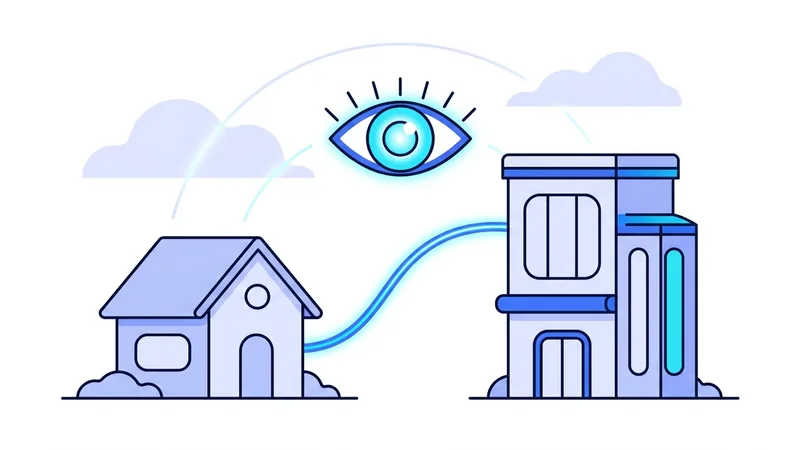
Your internet provider is the road between your home and the rest of the internet. There is no way around that. Whether you use cable, fiber, DSL, or mobile data, every packet your devices send passes through equipment your provider owns and operates.
That means your provider does not need to install anything or hack anything to observe your traffic. Observation is built into its position. The only questions are how much detail it can read and how much of that it chooses to record.
Providers have business reasons to look. In some countries they can sell anonymized browsing data to advertisers. In many countries they are required to keep connection records for a period of time. And almost all of them analyze traffic to manage their networks. None of this requires bad intent. It is simply how the position works.
What Your ISP Sees Without a VPN
Modern websites use HTTPS, which encrypts the content of your sessions. That is genuine protection, and it means your provider cannot read your messages, your passwords, or the pages you load. But a surprising amount of information still travels in the open:
- Every domain you visit. Your device asks your provider's DNS resolver to translate names like example.com into addresses. Each lookup is a record of a site you wanted. Even when DNS is encrypted, the server name often appears in the connection setup.
- When you visit and for how long. Connection records show the time, duration, and frequency of your sessions with each site.
- How much data you move. Traffic volume reveals patterns. A steady 4 GB per evening to one service looks like video streaming, whatever the content is.
- Which apps and devices are active. Smart TVs, game consoles, and phone apps all produce recognizable traffic patterns.
- Your rough schedule. When your household wakes up, goes to work, and goes to sleep is visible in the rhythm of your traffic.
Put together, the list of domains plus timing and volume builds a detailed picture of your habits, interests, health questions, and finances, all without reading a single encrypted page. HTTPS protects the letters. The envelope, the address, and the postmark stay visible. We go deeper on this boundary in our article on whether HTTPS is enough.
What Changes With a VPN
A VPN wraps all of your traffic in an encrypted tunnel before it reaches your provider's equipment. The provider still carries your data, but now it carries one opaque stream going to one server. The domains, the DNS lookups, and the per-site patterns all disappear inside the tunnel.
Here is the comparison side by side:
| Information | Without a VPN | With a VPN |
|---|---|---|
| Domains you visit | Visible via DNS and connection setup | Hidden inside the tunnel |
| Content of HTTPS pages | Hidden by HTTPS | Hidden by HTTPS and the tunnel |
| Content of unencrypted traffic | Fully readable | Hidden inside the tunnel |
| Per-site timing and volume | Visible | Reduced to one stream |
| Total data used | Visible | Still visible |
| The fact that you use a VPN | Not applicable | Visible |
Notice the last two rows. A VPN does not make your traffic invisible. Your provider still sees that data is flowing and roughly how much. It also sees that the destination is a VPN server. For most people that is fine, because the goal was to hide the destinations, not the existence of traffic. The mechanics behind the tunnel are covered in our explainer on how VPNs work.
The DNS Detail That Trips People Up
DNS deserves special attention, because it is the easiest way for browsing to leak back to your provider even with a VPN on. If your device keeps sending name lookups to your provider's resolver outside the tunnel, your provider keeps seeing every site name you request. The main traffic is encrypted, but the index of it is not.
A well built VPN app routes DNS through the tunnel to its own resolver. This is worth verifying rather than assuming. The test takes about a minute, and our DNS leak guide walks through it step by step.
Tip: run a DNS leak test the first day you use any VPN, and again after major operating system updates. System updates sometimes reset network settings in ways that quietly bypass the tunnel.
What a VPN Does Not Change
Honesty matters here. A VPN moves your trust from one company to another. Your provider can no longer see your destinations, but the VPN service now sits in the position your provider used to hold. It routes your traffic and can see connection metadata. That is why the provider's policies, and your ability to check them, matter as much as the technology.
A VPN also does nothing about the data websites collect from you directly. If you sign in to a service, that service knows who you are. Cookies and fingerprinting keep working. And private browsing windows do not help with any of this, because they only affect what is stored on your own device. We compare the two tools directly in our VPN versus incognito mode article.
Mobile Carriers Are ISPs Too
People often forget that their phone carrier is also an internet provider. On mobile data, your carrier sees the same kinds of information your home ISP sees: domains, timing, and volume. Carriers in some markets have been caught injecting tracking headers into customer traffic or selling location data.
The same fix applies. A VPN on your phone encrypts mobile data traffic the same way it encrypts Wi-Fi traffic. If you care about this on your laptop at home, it is worth caring about on the phone in your pocket, which usually knows even more about you.
Practical Steps
If you want to reduce what your provider learns about you, the steps are short:
- Use a VPN for everyday browsing on home internet and mobile data.
- Verify your DNS lookups travel inside the tunnel with a leak test.
- Turn on auto-connect so the protection does not depend on memory.
- Pick a VPN service whose data practices you can actually read and check.
That last point deserves a moment. Hiding your browsing from your ISP only makes sense if the VPN in the middle treats your data with more care than the ISP did. Read the policy, look for independent verification, and prefer services that publish what they keep and for how long. If you want to try this without committing money first, the vpn.now free plan is a low-pressure way to test the experience on your own connection.
Can Your Internet Provider Sell Your Browsing History?
In some countries, the short answer is yes. In the United States, internet providers are generally allowed to collect and make money from customer browsing data. Part of the reason is a 2017 decision that rolled back a rule which would have forced providers to get your clear permission, called opt-in consent, before using that data. Other places take a stricter view. In the European Union, stronger privacy laws limit what providers can collect and how they can use it. The key thing to remember is that these rules vary by country and they change over time, so what is allowed today may not be allowed tomorrow.
When a provider can use your data, here is what that usually looks like in practice:
- Building an advertising profile based on the sites and services you visit.
- Grouping you into audience categories, like "shops for cars" or "travels often."
- Sharing or selling that profile information to advertising partners and data brokers.
There is a limit to this. Most websites encrypt their traffic, so your provider sees that you connected to a site but not the actual contents, like the messages you typed or the pages you read. So the thing being sold is mostly the pattern of where you go, not the literal words inside encrypted traffic.
This is where vpn.now changes the picture. When your traffic and your DNS lookups both run through vpn.now, your provider mostly sees one encrypted stream going to a single server instead of a running list of the sites you visit. That removes much of the raw material a provider would need to build or sell a profile about you. It does not make you invisible, but it takes away the easy view they would otherwise have.
Summary
The key facts about ISP visibility:
- Your internet provider sits between you and everything online, so observation is built into its position.
- Without a VPN, it sees every domain you visit, plus timing and traffic volume, even on HTTPS sites.
- HTTPS hides page content but not the list of sites you connect to.
- A VPN hides destinations and DNS inside one encrypted stream. Total data use and the VPN connection itself stay visible.
- DNS leaks can quietly undo the protection, so test for them.
- A VPN moves trust to the VPN provider. Choose one whose practices you can verify.