DNS Leaks Explained: How to Test and Prevent Them
Key points
- A DNS leak sends your site name lookups outside the tunnel, often to your internet provider.
- Common causes are OS shortcuts, unhandled IPv6, old manual DNS settings, and reconnect gaps.
- Testing takes two minutes: run an extended leak test and look for your provider's resolvers.
- Prevent leaks with an app that locks DNS to the tunnel, a kill switch, and IPv6 handling.
On this page
You turn on your VPN, the app says you are protected, and you assume everything you do is private. Then a leak test shows your internet provider's name on the screen. That unsettling moment is what a DNS leak looks like, and it is more common than most people think.
DNS leaks matter because they expose one of the most revealing kinds of data you produce: the list of every site you try to visit. Even with a working VPN tunnel, a leak can send those lookups outside the tunnel, straight to your internet provider or another third party.
The good news is that DNS leaks are easy to test for and, with the right setup, easy to prevent. This guide explains what DNS does, how leaks happen, and how to close them for good.
What DNS actually does
DNS stands for Domain Name System. Think of it as the internet's phone book. When you type a website name, your device asks a DNS server to translate that name into an IP address, the numeric address computers use to find each other. Every site you visit starts with one of these lookups.
Normally your device sends DNS queries to servers run by your internet provider. That means your provider sees the name of every site you request, even if the connection to the site itself is encrypted. If you are new to these terms, the basics are covered in our explainer on what a VPN is.
What a DNS leak is
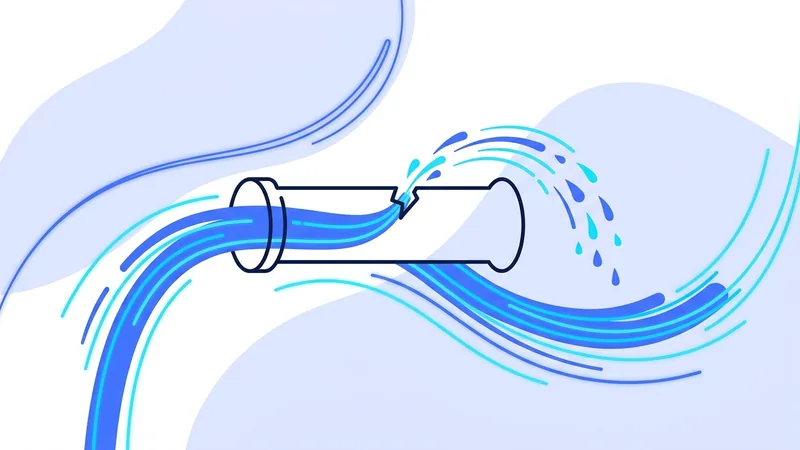
When your VPN is on, your DNS queries should travel inside the encrypted tunnel to a DNS resolver operated by the VPN service. A DNS leak happens when some or all of those queries escape the tunnel and go to an outside resolver instead, usually the one your internet provider assigned.
The result is a strange split. Your browsing traffic is encrypted and hidden, but the record of which sites you looked up is not. Anyone in a position to read those queries can build a timeline of the sites you visit, complete with timestamps.
How DNS leaks happen
Operating system overrides
Some operating systems try to be helpful by sending DNS queries through every available network path at once, then using whichever answer comes back first. This behavior can push queries outside the tunnel without any warning.
IPv6 traffic
Many VPN apps were built with IPv4 in mind. If your network also uses IPv6 and the VPN does not handle it, IPv6 DNS queries can slip past the tunnel entirely.
Manual DNS settings
If you once set a custom DNS server on your device or router and forgot about it, that setting can take priority over the VPN's resolver.
Connection drops and reconnects
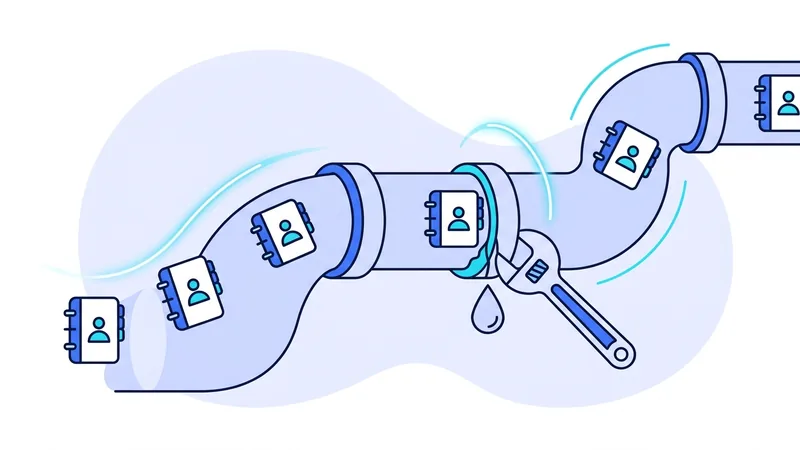
During the seconds when a VPN reconnects, the system may fall back to its default resolver. A kill switch closes this gap by blocking all traffic until the tunnel is back.
| Cause | How it leaks | Fix |
|---|---|---|
| OS multi-path DNS | Queries race outside the tunnel | Use a VPN app that locks DNS to the tunnel |
| Unhandled IPv6 | IPv6 lookups bypass the VPN | Choose an app that tunnels or blocks IPv6 |
| Manual DNS entries | Old settings take priority | Remove custom DNS from device and router |
| Reconnect gaps | Fallback resolver used briefly | Enable the kill switch feature |
| Transparent proxies | Network intercepts port 53 | Use encrypted DNS inside the tunnel |
How to test for a DNS leak
Testing takes about two minutes. Follow these steps.
- Connect to your VPN and confirm the app shows an active tunnel.
- Visit a reputable DNS leak test site and run the extended test.
- Look at the list of DNS servers the test detects.
- If you see your internet provider's name or your home country's resolver while connected to a foreign server, you have a leak.
- Repeat the test after switching networks, since behavior can differ between home Wi-Fi and mobile data.
Read the results with a little care. Seeing a resolver that belongs to your VPN provider, even in an unexpected city, is normal. Many services route DNS through shared infrastructure, so the location of the resolver does not have to match the server you picked. The red flag is a resolver tied to your own internet provider or to the network you are sitting on, because that means queries are escaping the tunnel.
Tip: Run a leak test every time you install a VPN app on a new device, and again after major operating system updates. Updates sometimes reset network settings in ways that reopen old leaks.
How to prevent DNS leaks
Prevention comes down to making sure DNS has exactly one path: through the tunnel, to the VPN's own resolver. A good VPN app does this for you. It rewrites your system DNS settings while connected, blocks queries on other interfaces, and restores everything when you disconnect. You can read about how we handle this on our security page.
On top of that, enable the kill switch so that reconnect gaps never expose your queries. Remove any manual DNS entries you no longer need. If your VPN offers IPv6 protection, turn it on. If it does not, disabling IPv6 on the device is a blunt but effective fallback.
Do not forget the router. Many home routers ship with the internet provider's resolver baked in, and some smart TVs and streaming boxes ignore device settings entirely and use a hardcoded resolver of their own. If you run the VPN on a single computer, those other devices were never protected in the first place. If you run the VPN on the router itself, check that the router sends its DNS through the tunnel too.
Encrypted DNS and how it fits in
You may have seen settings for DNS over HTTPS or DNS over TLS in your browser or operating system. These wrap your DNS queries in encryption so that networks along the way cannot read them. They are a real improvement on their own, but they are not a replacement for tunneled DNS. The resolver at the far end still sees every lookup, so you are choosing who gets that visibility rather than removing it.
Inside a VPN, the simplest healthy setup is usually to let the VPN handle DNS end to end. Mixing a browser's own encrypted DNS with a VPN tunnel can split your lookups between two resolvers, which makes leak testing confusing. Pick one path, verify it, and leave it alone.
What a leak reveals, and what it does not
It helps to be precise about the damage. A DNS leak reveals the domain names you look up and when you looked them up. It does not reveal the full pages you read, your passwords, or the content of your messages, since those travel over encrypted connections. Still, domain history alone says a lot about a person, which is why our VPN privacy guide treats DNS as a core part of your privacy, not an optional extra.
Be wary of dramatic claims in either direction. A leak is not a total privacy collapse, but it is a real hole that defeats one of the main reasons people use a VPN. If any term in this article was unfamiliar, our VPN glossary defines each one in plain English.
Why DNS Leaks Hit Windows and IPv6 the Hardest
If you use Windows, you have a higher chance of a DNS leak, and the reasons are built into how the system works. One big cause is a feature called smart multi-homed name resolution. To make name lookups faster, Windows can send the same DNS request out through several network connections at the same time. The problem is that some of those requests can travel outside your vpn.now tunnel, which means part of your activity gets exposed even while the rest looks protected.
IPv6 is the other common troublemaker. The internet is slowly moving from the older IPv4 addresses to the newer IPv6 ones. If your home network supports IPv6 but your VPN setup only fully handles IPv4, then IPv6 DNS requests can slip out on their own. Older tunneling helpers built into Windows, such as Teredo, can do something similar by routing traffic around the VPN instead of through it.
The good news is that these problems have clear fixes. Look for these things:
- Use a VPN app that disables or overrides smart multi-homed name resolution so all requests go through the tunnel.
- Pick an app that handles or blocks IPv6 instead of ignoring it.
- Prefer the official app over a manual setup, since the app can manage these Windows behaviors for you.
- Re-run a DNS leak test after big Windows updates, because updates can reset these settings back to their defaults.
None of this means Windows is unsafe to use. It just needs the right app doing the right work in the background. Once your tool covers smart multi-homed resolution and IPv6, most leaks on Windows simply stop happening.
Summary
DNS leaks quietly undo a big part of what a VPN is for. Here is what to remember.
- DNS translates site names into addresses, and every visit starts with a lookup.
- A leak sends those lookups outside the VPN tunnel, often to your internet provider.
- Common causes are OS shortcuts, IPv6 gaps, old manual settings, and reconnect windows.
- Test with an extended DNS leak test on every new device and network.
- A VPN app with locked DNS, IPv6 handling, and a kill switch closes the holes.
Test it yourself. Run our VPN leak test to see your live results in seconds.