VPN Glossary: Every Term Explained in Plain English
Key points
- Plain English definitions for every common VPN term, from tunnels and protocols to kill switches.
- The tunnel is your encrypted path; the protocol is the rulebook that builds it.
- Ciphers like AES-256 and ChaCha20 do the scrambling; latency and bandwidth explain speed.
- Leaks, fingerprints, and metadata describe what can still identify you with a VPN on.

On this page
Every field has its jargon, and VPNs collected more than their share. Tunnels, handshakes, leaks, hops: the words sound dramatic, but the ideas behind them are simple. You do not need an engineering degree to understand any of it.
This glossary defines the terms you will meet in VPN apps, reviews, and our own guides, each in a sentence or two of plain English. If you want the full picture of how the pieces fit together, our article on how VPNs work connects these terms into one story.
Terms are grouped by topic so you can read a section at a time or jump straight to the word you need.
Core VPN terms
VPN
Short for virtual private network. A service that encrypts your internet traffic and routes it through a remote server, hiding your IP address from the sites you visit and your activity from the local network.
Tunnel
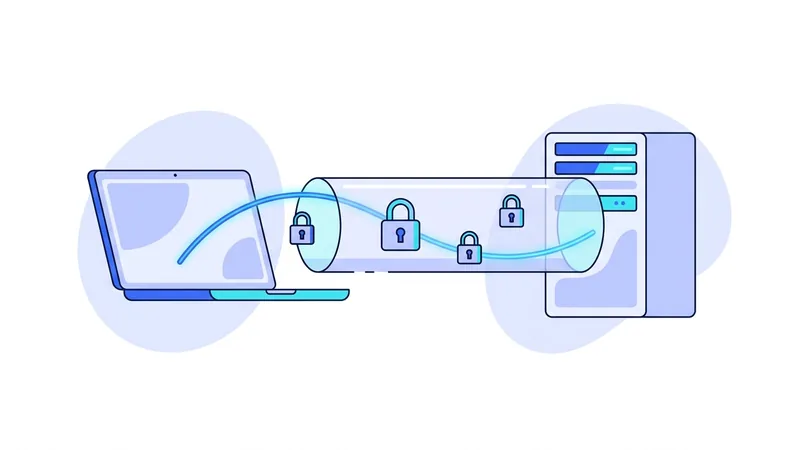
The encrypted connection between your device and a VPN server. Data inside the tunnel is unreadable to anyone watching the network it crosses.
VPN client
The app on your device that builds and manages the tunnel. It handles login, server choice, encryption, and safety features.
VPN server
The remote machine your tunnel connects to. Your traffic exits to the open internet from this server, carrying its address instead of yours.
IP address
The numeric address that identifies your connection on the internet, such as 203.0.113.7. Websites see the address of whatever connection reaches them.
ISP
Internet service provider. The company that sells you internet access. Without a VPN, it can see which sites and services you connect to.
Protocols and encryption
Protocol
The agreed set of rules a client and server use to build a secure tunnel. Different protocols balance speed, security, and compatibility differently. You can compare the options on our protocols page.
Modern VPN protocol
A newer protocol known for a very small codebase, fast performance, and current cryptography. The protocol vpn.now uses is one example. See how it stacks up in our protocol comparison with OpenVPN.
OpenVPN
A widely trusted protocol that has been audited for over two decades. Slower than newer protocols in most tests, but flexible and supported nearly everywhere.
IKEv2
A protocol that excels at surviving network changes, which makes it popular on phones that move between Wi-Fi and mobile data.
Encryption
The process of scrambling data so only someone with the right key can read it. The foundation of everything a VPN does.
AES-256
A widely used encryption cipher with a 256 bit key. It is the standard cipher in OpenVPN and many other security tools.
ChaCha20
The fast, modern cipher used by the protocol vpn.now runs. It performs especially well on phones and devices without dedicated encryption hardware.
Cipher
The specific mathematical recipe used to scramble data. AES-256 and ChaCha20 are both ciphers. The protocol decides which cipher is used and how.
Handshake
The brief exchange at the start of a connection where two machines verify each other and agree on encryption keys.
TCP and UDP
The two main ways packets travel. TCP confirms every delivery, which is reliable but slower. UDP sends without waiting, which is faster. Most VPN protocols prefer UDP and fall back to TCP on restrictive networks.
Public key cryptography
A system using paired keys: one public, one private. Data locked with the public key opens only with the private key, which never leaves its owner.
Privacy and identity
Anonymity
The state of being unidentifiable. A VPN hides your IP address but does not make you anonymous, since accounts and fingerprints still identify you. Our VPN myths article covers this gap in detail.
Metadata
Data about your activity rather than its content: when you connected, for how long, and how much data moved. Metadata alone can reveal patterns.
Browser fingerprint
The unique combination of settings, fonts, and hardware details your browser exposes. Sites can use it to recognize you even when your IP address changes.
DNS
The Domain Name System, which translates site names like example.com into IP addresses. Every site visit begins with a DNS lookup.
DNS leak
A fault where your DNS lookups escape the VPN tunnel, exposing the names of the sites you visit to outside resolvers.
IP leak
Any fault that reveals your real IP address while the VPN is on, through WebRTC, IPv6 gaps, or connection drops.
Logging policy
A provider's written statement about what data it collects and keeps. Read it closely. Every service keeps at least some operational data, so the question is what, how long, and why.
Geolocation
Estimating where a connection comes from based on its IP address. The reason sites often guess your city, and the thing a VPN changes.
Network terms
Latency
The time a packet takes to travel to a destination and back, measured in milliseconds. Lower is better, and distance is its main cause.
Bandwidth
The maximum amount of data your connection can move per second, usually quoted in megabits per second.
Throughput
The data rate you actually get in practice, which is always somewhat below the bandwidth ceiling.
Packet
A small chunk of data with addressing information attached. Everything you send online is broken into packets and reassembled at the other end.
NAT
Network address translation. The technique that lets many devices share one public IP address, used by home routers and VPN servers alike.
IPv6
The newer internet addressing system with a vastly larger address space than IPv4. VPN apps must handle it explicitly or risk leaks.
Firewall
Software or hardware that allows or blocks network traffic based on rules. Kill switches are usually built from firewall rules.
Port
A numbered channel on a device that separates different kinds of traffic, such as port 443 for secure web connections.
Server load
How busy a VPN server is relative to its capacity. High load means slower speeds for everyone connected, which is why good apps show load before you pick a server.
Captive portal
The login page that hotels, airports, and cafes show before granting internet access. Captive portals often require a brief moment outside the tunnel, so reconnect your VPN after passing one.
Features and settings
Kill switch
A safety feature that blocks all internet traffic if the VPN tunnel drops, preventing your real address from leaking during reconnects.
Split tunneling
A setting that routes some apps or sites through the VPN while others use your direct connection. Covered fully in our split tunneling guide.
Auto-connect
A setting that starts the VPN automatically on boot or whenever you join an untrusted network, so protection does not depend on memory.
Multi-hop
Routing your traffic through two VPN servers in a row. It adds a layer of separation at the cost of speed.
Obfuscation
Techniques that disguise VPN traffic as ordinary web traffic, used on networks that try to detect and block VPN connections.
Dedicated IP
A VPN address assigned to you alone rather than shared with other users. Useful for services that distrust shared addresses, at some cost to blending in.
Simultaneous connections
The number of devices a single account can protect at the same time.
Quick reference: the eight terms you will meet first
| Term | Quick meaning |
|---|---|
| Tunnel | Your encrypted path to the VPN server |
| Protocol | The rulebook used to build that path |
| IP address | Your connection's public identifier |
| DNS | The lookup that turns names into addresses |
| Latency | Round trip delay, in milliseconds |
| Kill switch | Blocks traffic if the tunnel drops |
| Split tunneling | Lets chosen apps bypass the tunnel |
| Metadata | Records about activity, not its content |
Tip: Keep this page bookmarked while you read reviews or compare providers. Checking one unfamiliar word often changes how a whole claim reads.
Threats and attacks you will see mentioned
- Man-in-the-middle attack This is when someone secretly sits between you and the site you are visiting and reads or changes the data passing through. A vpn.now connection scrambles your traffic between your device and our server, which makes this much harder on shared networks. It does not protect data after it leaves our server for the wider internet.
- Packet sniffing Packets are the small chunks of data your device sends and receives. Sniffing means capturing those packets to see what they contain. When your traffic is encrypted through vpn.now, a sniffer on the same network mostly sees scrambled data instead of readable content.
- Evil twin (rogue Wi-Fi hotspot) This is a fake Wi-Fi network set up to look like a real one, often using a trusted sounding name, so people connect to it by mistake. Once connected, the attacker can watch your activity. A VPN encrypts what you send even on a bad network, but it cannot stop you from joining the fake hotspot in the first place.
- DNS spoofing DNS turns a site name into the address your device connects to. Spoofing feeds your device the wrong address so you land on a fake site. Routing DNS requests through vpn.now can reduce tampering by your local network, though it is not a full defense against every trick.
- IP leak This is when your real IP address slips out even while a VPN is running, often through misconfigured settings or browser features. It can reveal your rough location, which is why leak testing matters.
- Session hijacking This is when an attacker steals the token that keeps you logged in to a site and uses it to act as you. Encryption makes the token harder to grab in transit, but it does not help if your own device is already compromised.
Summary
VPN vocabulary is smaller than it looks, and most of it maps to a few simple ideas.
- The tunnel, client, server, and protocol describe how your traffic gets protected.
- Ciphers like AES-256 and ChaCha20 do the actual scrambling.
- Leaks, fingerprints, and metadata describe what can still identify you.
- Latency and bandwidth explain why connections feel fast or slow.
- Features like the kill switch and split tunneling let you tune protection to your needs.