What Is a VPN Kill Switch and Why It Matters
Key points
- A kill switch blocks all traffic the moment the VPN tunnel drops, so nothing leaks unprotected.
- Drops are normal: network switches, sleep, and weak signals cause them many times a day.
- System-level switches use firewall rules, cover every app, and survive VPN app crashes.
- Test it yourself by forcing a disconnect; an occasional visible pause is the feature working.
On this page
- What a kill switch does
- Why VPN connections drop in the first place
- App-level versus system-level kill switches
- When a kill switch matters most
- How to enable and test your kill switch
- Platform differences worth knowing
- What a kill switch cannot do
- Is it worth the inconvenience?
- When a Kill Switch Locks You Out, and How to Recover
- Summary
- Frequently asked questions
A VPN protects you only while the tunnel is up. The moment your connection drops, your device quietly falls back to the open internet, and your real IP address is visible again. Most apps reconnect within seconds, but seconds are enough for your traffic to slip out unprotected.
A kill switch exists to close that gap. It is a simple rule enforced by your VPN software: if the tunnel goes down, no traffic leaves the device until the tunnel comes back. Nothing escapes in the meantime, not your browser, not your background apps, not your sync services.
This guide explains how kill switches work, the different types you will encounter, when they matter most, and how to confirm yours actually does its job.
What a kill switch does
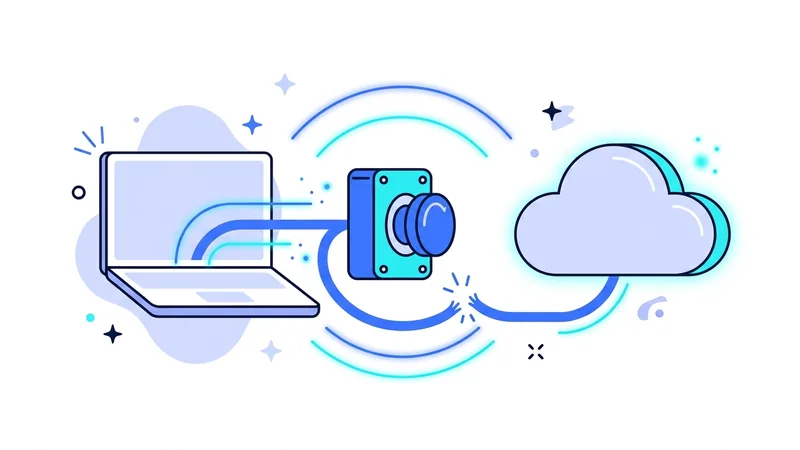
Think of a kill switch as a one-way gate. While the VPN tunnel is healthy, the gate stays open and all traffic flows through the encrypted path. If the tunnel fails for any reason, the gate slams shut. Your device stays online in a technical sense, but every outgoing packet is blocked until protection is restored.
Without this gate, your operating system does what it was designed to do: keep you connected by any means available. It will happily route your traffic over the regular network, exposing your IP address and your DNS queries. The kill switch overrides that helpful instinct.
Why VPN connections drop in the first place
Drops are normal, not a sign of a broken service. Common causes include switching from Wi-Fi to mobile data, your laptop waking from sleep, a weak wireless signal, your router rebooting, or the VPN server undergoing maintenance. Even changing networks at a cafe counter can briefly tear the tunnel down.
Each of these events creates a short window where traffic could leak. That window is also when DNS leaks are most likely, because the system may fall back to its default resolver while the tunnel rebuilds.
How often does this actually happen? More than most people guess. A laptop that moves between home, office, and cafe can see a dozen tunnel rebuilds in a day. A phone sees even more, because it hops between cell towers and Wi-Fi constantly. Each rebuild is usually harmless, but only if something stands guard during the gap.
App-level versus system-level kill switches
Not all kill switches guard the same territory. The two main designs differ in scope and reliability.
| Type | How it works | Strengths | Limits |
|---|---|---|---|
| App-level | The VPN app closes or blocks chosen programs when the tunnel drops | Fine control, keeps other apps online | Unlisted apps keep leaking |
| System-level | Firewall rules block all traffic outside the tunnel | Covers everything, survives app crashes | Briefly cuts your whole connection |
System-level protection is the stronger choice for most people. Because it works through firewall rules rather than the app's own logic, it keeps blocking traffic even if the VPN app itself crashes. Our apps implement a system-level switch regardless of which of the protocols we offer you connect with.
When a kill switch matters most
On networks you do not control
Open hotspots in airports, hotels, and cafes are exactly where you least want a silent failure. Drops are frequent on crowded wireless networks, so pair the switch with the habits in our guide to using a VPN on public Wi-Fi.
During long unattended sessions
Large uploads, overnight downloads, and remote work sessions run while you are not watching the screen. A kill switch makes sure a 3 a.m. blip does not expose hours of traffic.
When your location is sensitive
If you rely on the VPN to hide your IP address from the services you use, even a brief reveal defeats the purpose. The switch turns a privacy failure into a short pause instead.
How to enable and test your kill switch
Enabling is usually a single toggle in your VPN app's settings, often labeled kill switch, network lock, or always-on. Turn it on, then verify it works rather than taking it on faith.
- Connect to the VPN and start loading a page or a streaming video.
- Force the tunnel down. Disabling your Wi-Fi for a moment or blocking the VPN process both work.
- Watch what happens. With a working switch, all traffic stops immediately. Pages fail to load until the VPN reconnects.
- Run an IP check after reconnecting to confirm you never appeared under your real address.
Tip: Test the kill switch on every new device before you trust it. A two minute test on day one beats discovering a silent gap months later.
Platform differences worth knowing
Desktop
Windows, macOS, and Linux apps generally offer the strongest kill switch implementations, because desktop systems allow deep firewall control. Look for a setting that stays active even when the VPN app is closed, sometimes called permanent or advanced mode. It protects you from the case where the app itself fails to start.
Mobile
On Android, the always-on VPN option together with the block connections without VPN setting gives you a system-enforced switch that no app crash can bypass. On iOS, the operating system manages VPN sessions itself, and good apps use its on-demand rules to reach a similar result. Mobile is where drops happen most, so set this up first on your phone.
Routers
A VPN configured on a router can protect every device in the house, but router firmware varies widely in whether it can block traffic when the tunnel fails. If your router cannot, devices will silently fall back to the open connection. Check this behavior before trusting a router-level setup with anything sensitive.
What a kill switch cannot do
A kill switch is a safety net, not a force field. It does not encrypt anything by itself, it does not stop tracking by sites where you are logged in, and it cannot protect traffic that you allow to bypass the tunnel on purpose. It also cannot fix an unstable network. If your VPN drops constantly, address the cause rather than relying on the switch to keep slamming the gate.
Treat it as one layer in a broader setup. Our VPN security guide covers the other layers, from encryption settings to device hygiene, that work together with the switch.
Is it worth the inconvenience?
Some people try the kill switch, hit one inconvenient pause during a video call, and turn it off forever. Before you do that, consider what the pause was telling you: without the switch, that same moment would have been your traffic moving unprotected without any signal to you at all. The interruption is the feature working, not the feature failing.
The honest cost of a kill switch is the occasional moment where your internet pauses instead of silently downgrading to an unprotected connection. For almost everyone, that trade is worth it. The pause is visible and short. The leak it prevents is invisible and potentially long. Every plan on our plans includes the kill switch on all platforms, because we consider it a baseline feature rather than a premium add-on.
When a Kill Switch Locks You Out, and How to Recover
A strict kill switch does its job by blocking all internet whenever the VPN is not connected. That is great for protection, but it has a downside. Sometimes it leaves you with no internet in normal situations, and it can feel like your connection is broken when it is not. The good news is that these cases are common, harmless, and quick to fix once you know what to look for.
Here are the situations that catch people off guard and the simple fix for each one:
- You closed the VPN app, but the kill switch is still on. Some apps keep enforcing the block even after you close them. Open the vpn.now app again and either connect, or turn the kill switch off if you do not need it right now.
- A hotel or airport sign-in page will not load. Public Wi-Fi often shows a login page before it lets you online, and the kill switch can block that page. Temporarily turn the kill switch off, sign in to the network, then reconnect and switch it back on.
- The VPN server is down, so nothing connects. If one server is having trouble, your connection cannot come back. Switch to another server in the vpn.now app and you should be online again.
- The app crashed. If the app stopped running in the background, the block may stay in place. Restart the app to clear it.
The calm takeaway is this. If your internet suddenly stops, check the VPN app first. A kill switch doing its job is one of the most common reasons, and it is nothing to worry about. Knowing where the off switch lives turns a moment of panic into a ten second fix.
Summary
A kill switch keeps a dropped VPN from turning into an exposed connection.
- It blocks all outgoing traffic the moment the tunnel fails.
- Drops are normal: network switches, sleep, and weak signals all cause them.
- System-level switches protect everything and survive app crashes.
- Always test the switch yourself by forcing a disconnect.
- It is a safety net, not a substitute for good security habits.