Browser Fingerprinting: How Sites Recognize You Without Cookies
Key points
- Fingerprinting combines small browser details like fonts and screen size into an identifier, with nothing stored on your device.
- Clearing cookies and private browsing do not help, because the fingerprint is computed fresh on every visit.
- A VPN removes only the IP address signal, since the rest of the fingerprint stays the same.
- The best defense is blending in: a mainstream browser with built-in protection, few extensions, and a content blocker.
On this page
Block cookies, switch on private browsing, and many sites can still recognize you the next time you visit. The technique that makes this possible is called browser fingerprinting, and it needs nothing stored on your device at all.
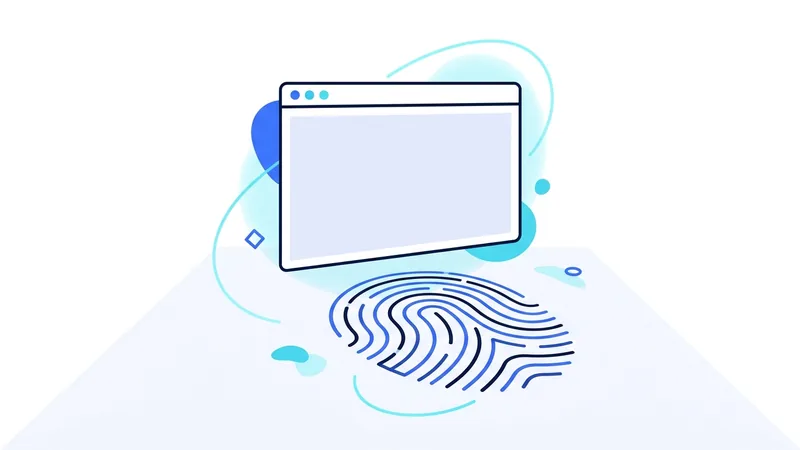
Fingerprinting works because your browser is more unique than you think. The combination of your screen size, fonts, time zone, hardware, and dozens of other small details forms a pattern that often matches one browser in thousands or millions. Trackers read that pattern and use it as an identifier.
This article explains how fingerprinting works, why it survives the privacy tools most people rely on, and which defenses actually move the needle.
How a Fingerprint Is Built
When you load a page, scripts on that page can ask your browser questions. None of the questions look sensitive on their own. What is your screen resolution? Which fonts are installed? What time zone are you in? How does your graphics hardware draw this hidden test image?
Each answer narrows down who you might be. Your screen size might match one person in twenty. Your font list might match one in five hundred. Your graphics rendering might match one in ten thousand. Multiply those together and the script has often narrowed billions of browsers down to one: yours.
Here are the most common signals trackers collect:
| Signal | What it reveals | How identifying it is |
|---|---|---|
| User agent string | Browser, version, operating system | Low on its own, common values |
| Screen size and color depth | Display hardware and window setup | Moderate |
| Installed fonts | Software you have installed over time | High, font lists vary a lot |
| Canvas and WebGL rendering | Graphics card and driver quirks | High, hardware-specific output |
| Time zone and language | Location and locale settings | Moderate |
| Audio processing quirks | Sound hardware and drivers | Moderate to high |
| Extensions and plugins | How you customized your browser | High, custom setups stand out |
No single row identifies you. The combination does. That is the whole trick. Researchers have measured this for years: in large studies of real browsers, the great majority produced a combination of values seen on no other browser in the dataset. Uniqueness is the default, not the exception, and the more capable browsers become, the more questions there are to ask.
Why Fingerprinting Beats Cookie Defenses
Cookies are small files saved on your device, which means you can delete them, block them, or browse in a mode that throws them away. Fingerprints are different in one crucial way: nothing is saved on your side. The identifier is computed fresh from your browser's characteristics every time you visit.
That makes the standard defenses miss. Clearing cookies does nothing, because there is nothing to clear. Private browsing does nothing, because your screen, fonts, and hardware are the same in a private window. Blocking third party cookies does nothing, because the fingerprinting script can run as part of the page itself. If you want the full picture of how cookie tracking works and where it still matters, our guide to cookies and online tracking covers that side.
In practice, trackers use both methods together. Cookies are cheap and reliable, so they remain the first choice. Fingerprints fill the gaps when cookies get blocked or cleared, and they can even be used to restore a deleted cookie by recognizing the browser it belonged to.
Why a VPN Does Not Stop It
A VPN replaces your IP address, and your IP address is one input to many fingerprinting systems. So a VPN removes one signal. The problem is that fingerprinting was designed to work without relying on any single signal. Your fonts, canvas rendering, and screen size do not change when your IP address does.
Connect to a VPN server in another country and a fingerprinting script will see the same browser it saw yesterday, just arriving from a new address. If the fingerprint matched you before, it still matches you now. This is one of the clearest examples of why the claim that a VPN stops tracking belongs in our roundup of common VPN myths.
This is not a reason to skip the VPN. It hides your browsing from your internet provider and removes the IP signal from trackers, which has real value. Our VPN privacy guide maps out exactly which parties a VPN protects you from. The point is to know which tool handles which job, and fingerprinting is a browser job.
What Actually Helps
The goal with fingerprinting defense is counterintuitive: blend in rather than stand out. A heavily customized browser with rare extensions and unusual settings is easier to recognize, not harder. The strongest practical defenses are:
- Use a browser with built-in fingerprinting protection. Firefox and Brave both ship defenses that block known fingerprinting scripts or add small amounts of noise to the values scripts read. Safari limits the data sites can collect.
- Keep your browser close to stock. Every extension and tweak makes your setup rarer. Install only what you need.
- Let your browser update itself. Updated browsers cluster together in fingerprint databases. Old versions stand out.
- Block third party scripts where you can. Content blockers stop many fingerprinting scripts from loading at all, which beats trying to fool them.
- Separate your activities. Use one browser or profile for accounts you sign in to and another for general browsing, so a fingerprint in one context links to less.
Tip: resist the urge to install five anti-fingerprinting extensions. Each one changes how your browser answers questions, and an unusual set of answers is itself a fingerprint. One good browser with protection turned on beats a stack of add-ons.
How Worried Should You Be?
It depends on what you are protecting against. For ordinary advertising, fingerprinting is one more way to connect your visits across sites and build an interest profile. Annoying, but the defenses above blunt it well. For fraud prevention, fingerprinting is often working in your favor, because banks use it to spot stolen credentials being used from an unfamiliar device.
What fingerprinting cannot do is see through your other protections. It identifies your browser. It does not reveal your name unless you hand that over elsewhere, it does not expose your traffic to your network, and it does not learn your home address from your connection if a VPN is masking it. Each layer covers its own ground, and an IP address is a weaker identifier than people assume. Our explainer on what an IP address reveals puts that signal in context.
A sensible setup for most people: a mainstream privacy-respecting browser with protection enabled, a content blocker, and a VPN for the network layer. If you are putting that stack together, the vpn.now plans page shows what the network piece costs, with renewal prices listed plainly.
How to Test Your Own Browser Fingerprint
You do not have to guess how identifiable your browser is. Several free tools let you check your own fingerprint in a few seconds. You open the page, let it scan your browser, and it shows you a report. These tests are run by privacy researchers and nonprofits, and they are a good way to turn an abstract worry into something you can actually see.
Most tests report one main number: how unique your fingerprint is compared to other browsers tested recently. They also break down which traits make you stand out. Common ones include your installed fonts, your screen size, your language setting, your time zone, and signs of your browser extensions. The report usually flags the traits that carry the most weight, so you can see what is doing the most to give you away.
Read the results with a clear head. A lower uniqueness score is better, because it means more people look like you. If a trait surprises you, that is worth knowing. Rare add-ons, odd settings, or an uncommon font collection can make you more identifiable, not less. The goal is to blend in, not to stack on changes that mark you as one of a kind.
Here is the part that catches people off guard. Some privacy tweaks make your fingerprint more unique, because few other people use that exact mix. A plain, unmodified mainstream browser often blends in better than a heavily customized one. So test before you change anything, then test again after. That is the only honest way to know if a change with vpn.now or any tool actually helped or quietly made you easier to spot.
Summary
What to remember about browser fingerprinting:
- Fingerprinting identifies your browser by combining dozens of small characteristics, with nothing stored on your device.
- Clearing cookies and using private browsing do not affect it.
- A VPN removes the IP address signal but leaves the rest of the fingerprint unchanged.
- The best defense is blending in: a mainstream browser with built-in protection, few extensions, and current updates.
- Content blockers help by stopping fingerprinting scripts before they run.
- Combine browser hygiene for the fingerprint with a VPN for the network, because each covers what the other cannot.