Can You Still Be Tracked With a VPN On?
Key points
- Yes, you can still be tracked with a VPN on, through logins, cookies, and fingerprinting.
- A VPN removes one tracking signal, your IP address, not all of them.
- The account you sign in with identifies you no matter where you connect.
- Pair a VPN with browser hygiene to cut tracking much further.
On this page
- The Honest Starting Point
- The Signal a VPN Does Remove: Your IP Address
- The Signal a VPN Cannot Touch: Your Accounts
- Cookies Follow You Anyway
- Fingerprinting Recognizes Your Browser
- Who Tracks You and Whether a VPN Helps
- What About the VPN Provider Itself?
- Reducing Tracking in Practice
- Cross-Device Tracking: How You Get Linked Across Phone, Laptop, and TV
- Summary
- Frequently asked questions
If you turned on a VPN expecting to disappear from the internet, this article is the honest correction. The short answer is yes, you can still be tracked with a VPN on. A VPN removes one important tracking signal, but it leaves several others fully intact.
This is a hub guide that ties the pieces together. We will walk through the main ways you are tracked, explain which ones a VPN actually affects, and point you to the deeper guides for each. The goal is a clear, realistic picture, not a sales pitch. For the foundation, our VPN privacy guide covers what a VPN hides in general.
The Honest Starting Point
A VPN is not anonymity. No honest provider will claim it is, and any that does should make you suspicious. What a VPN does is narrow tracking by hiding your IP address and your browsing destinations from your internet provider. That is real and useful. It is also only one piece of a much larger tracking machine.
Think of tracking as a set of independent signals. Your IP address is one. Your logged-in accounts are another. Cookies are a third. Your browser fingerprint is a fourth. A VPN touches the first one. The rest carry on regardless.
The Signal a VPN Does Remove: Your IP Address
Start with the win, because it is genuine. Without a VPN, every site you visit sees the IP address your internet provider gave you. That address points to your rough location and ties your sessions together over time. Our guide to what an IP address is explains it fully.
With a VPN, sites see the server's shared address instead, used by many customers at once. That removes IP address as a reliable way to pin you down or estimate where you live. Your internet provider also loses its view of which domains you visit. These are the things a VPN does well, and they matter. But they are where the protection ends, not where it expands.
The Signal a VPN Cannot Touch: Your Accounts
Here is the biggest gap. The moment you sign in to a service, that service knows it is you. It does not need your IP address, because your account is your identity. Google, social networks, shops, and email all work this way.
So if you log in to your account and then browse, switching your apparent location with a VPN changes almost nothing about what that company learns. You handed over your identity at the login screen. This is why people who want privacy from a specific service often need to sign out, not just connect a VPN. It is the same reason a VPN and private browsing are not the same thing, which we cover in our piece on VPNs and incognito mode.
Cookies Follow You Anyway
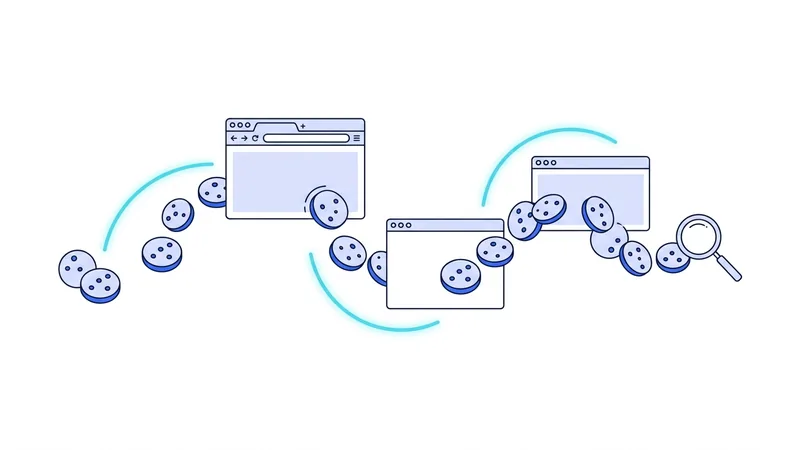
Cookies are small files websites store in your browser. Some are helpful, like the one that keeps you logged in. Others are tracking cookies that follow you between sites to build an advertising profile. A VPN does nothing to cookies. They sit in your browser, and they keep working no matter what IP address you appear to use.
This means an ad network that placed a cookie on your browser last week can still recognize you this week, VPN or not. Clearing cookies and using a browser that blocks third-party tracking does far more about this than a VPN ever could. Our guide to cookies and tracking shows how they work and how to limit them.
Fingerprinting Recognizes Your Browser
Fingerprinting is the sneakiest signal. Instead of storing a file, a tracking script reads dozens of details about your browser: screen size, fonts, time zone, language, graphics quirks, and more. Combined, these details often form a near-unique signature that identifies your browser without any cookie at all.
A VPN does not change your fingerprint. Your screen and fonts are the same whether your traffic goes through a tunnel or not. In fact, a VPN can even make your fingerprint stand out if your apparent location does not match other clues. Our deep dive on browser fingerprinting explains why this technique is so hard to dodge.
Tip: the question that matters is not "am I tracked?" but "who am I trying to hide from, and what signal do they use?" A VPN beats IP-based tracking. It does almost nothing against a service you are logged in to.
Who Tracks You and Whether a VPN Helps
This table pulls the whole picture together. Use it to set realistic expectations before you rely on a VPN for any single goal.
| Tracking method | Does a VPN help? | What actually limits it |
|---|---|---|
| IP address | Yes | The VPN itself |
| Your internet provider seeing domains | Yes | The VPN itself |
| Accounts you log in to | No | Signing out, separate profiles |
| Cookies | No | Clearing cookies, tracker blocking |
| Browser fingerprinting | No | Privacy-focused browser settings |
Two of five rows are a yes. That ratio is the honest measure of what a VPN does for tracking. It is meaningful, and it is partial.
What About the VPN Provider Itself?
One more party belongs in the picture. When you use a VPN, your traffic flows through the provider's servers, so the provider is now in a position to see connection metadata. You have moved trust from your internet provider to the VPN company. That is why provider choice and policies matter, a point we expand on in our guide to VPN logging policies.
If your privacy goal is serious enough that even the VPN provider is part of your threat model, a VPN may not be the right tool on its own. Our comparison of a VPN and Tor explains where each fits and where their goals differ.
Reducing Tracking in Practice
Put together, the recipe is simple. Use a VPN to handle the network layer: your IP address and what your provider sees. Then add browser hygiene to handle the rest. Sign out of accounts you are not actively using. Clear cookies on a schedule. Use a browser with tracking protection on. Keep a separate profile for the accounts that must stay logged in. The VPN and the browser habits each cover what the other cannot.
Cross-Device Tracking: How You Get Linked Across Phone, Laptop, and TV
Companies do not just track one device at a time. They try to tie your phone, your laptop, and your smart TV into a single profile, so they can build one picture of who you are. This is how an ad you glanced at on your phone shows up again on your laptop an hour later. There are two main ways they pull this off, and a VPN only touches one of them.
The first way is called deterministic linking. This is the strong, certain kind. It happens when you sign in to the same account on each device. If you log into the same email, shopping site, or streaming service on your phone, laptop, and TV, the company knows for a fact that all three belong to you. A VPN does nothing here. You handed over your identity when you signed in, so changing your IP address makes no difference at all.
The second way is called probabilistic linking. This is the guessing kind. Companies look at shared signals and make an educated bet that several devices belong to one person. Common signals include:
- The same home IP address showing up across devices
- Similar location patterns, like being in one spot every night
- Timing, such as two devices going active and quiet at the same hours
This is where vpn.now can help a little. When your devices share a VPN IP address that thousands of other people also use, the home-IP signal gets muddier and harder to trust. That weakens one clue, but it does not erase the others, and it does nothing once you log in. The honest takeaway is this: using separate accounts and signing out when you are done matters more for breaking these links than the VPN does. The VPN is a small help on top, not the main tool.
Summary
- Yes, you can still be tracked with a VPN on. It removes one signal, not all of them.
- A VPN hides your IP address and your browsing from your internet provider.
- Accounts you log in to identify you regardless of your apparent location.
- Cookies and browser fingerprinting keep working straight through a VPN.
- The VPN provider sees connection metadata, so its policies matter.
- Combine a VPN with browser hygiene to cut tracking much further than either alone.
If you want a provider that is upfront about these limits instead of promising the impossible, our plans page spells out what each option does and does not do.
Test it yourself. Run our VPN leak test to see your live results in seconds.