Evil Twin Hotspots: The Fake Wi-Fi Trick to Watch For
Key points
- Wi-Fi names are not verified, so anyone can broadcast a trusted name and collect connections.
- Phones auto-join remembered network names, so you can land on a fake hotspot without touching anything.
- A VPN with auto-connect and a kill switch reduces the attacker's view to one encrypted stream.
- Captive portals load before the VPN connects, so never type passwords or card details into one.
On this page
Your phone is friendly with Wi-Fi networks it has met before. It remembers their names and rejoins them automatically, without asking you. That convenience hides a problem: your phone recognizes networks by name alone, and anyone can broadcast any name they want.
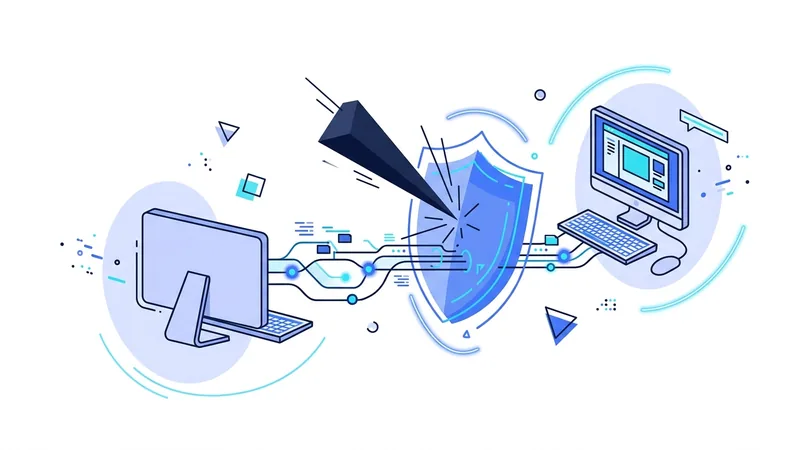
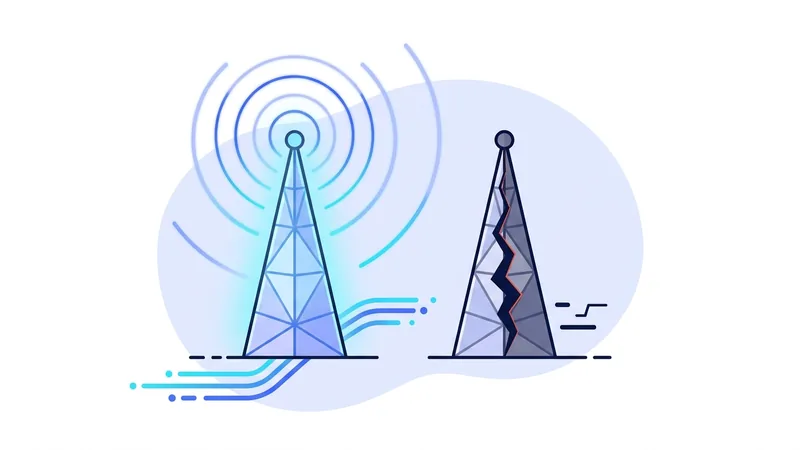
An evil twin is a fake hotspot wearing a trusted name. Set one up near a cafe with the cafe's network name, and phones in the room will start connecting to it on their own. The owner of that fake network now sits between those phones and the internet, in a textbook man in the middle position.
This article explains how the trick works, what an evil twin operator can actually do, how to spot the warning signs, and how a VPN limits the damage when you get fooled anyway. Because sometimes you will. The attack is designed to be invisible.
How the Trick Works
Wi-Fi networks identify themselves by a broadcast name, the one you see in your network list. Nothing in the Wi-Fi standard verifies that name. There is no certificate, no registry, no proof of ownership. A 30 dollar travel router, or just a laptop, can broadcast "Airport_Free_WiFi" as easily as the airport can.
The attacker has two ways to catch you. The first is passive: broadcast a name people expect in that location and wait for them to choose it. The second is automatic: broadcast a name your device already trusts. Phones constantly look for networks they remember, and when they see a familiar name, many will join it without any tap from you.
Some attackers go further. They can transmit a stronger signal than the real network, so devices prefer the fake one. They can even disrupt the real access point, nudging everyone in the room to reconnect, at which point the strongest signal with the right name wins. None of this requires rare skill. The tools are packaged and documented.
What an Evil Twin Operator Can Do
Once your device joins, your traffic flows through the attacker's equipment. Here is the honest damage assessment, because it is not unlimited:
- Watch your metadata. They see your DNS lookups and connection patterns: which sites, which apps, when, and how much. Content inside HTTPS stays encrypted, but the map of your activity is exposed.
- Control DNS. They answer your lookups, which means they can steer you toward fake versions of pages and hope you miss the warnings.
- Serve a fake captive portal. That login page asking for your email, room number, or a card payment for premium Wi-Fi can be entirely theirs. Anything you type goes straight to them.
- Read weakly protected traffic. Apps and gadgets with poor or missing encryption hand over their traffic in readable form.
- Push fake downloads. A pop-up insisting you install a "network security app" or update your software is a classic move on hostile networks.
What they cannot easily do is read the content of properly encrypted sessions. HTTPS and your browser's certificate checks hold up. The attack mostly harvests metadata, portal entries, and mistakes.
Why do attackers bother, if encrypted content stays sealed? Because the leftovers are valuable. A list of the sites a person visits is useful for profiling and targeting. A harvested portal entry might be an email and password pair the victim reuses elsewhere, which is the seed of a real account takeover. And a single successful fake download can be worth more than a hundred captured browsing sessions. Evil twins are cheap to run, so even a low success rate pays for the hardware many times over.
Warning Signs Worth Knowing
You often cannot identify an evil twin by looking at the network list, but several signs should raise your guard:
| Sign | What it might mean | What to do |
|---|---|---|
| Two networks with the same or nearly identical names | One may be a twin of the other | Ask staff which is real, or use mobile data |
| An open network where a password-protected one used to be | A fake copy without the password | Do not join the open one |
| A captive portal asking for a password, card details, or app install | Harvesting page | Close it and disconnect |
| Certificate warnings on sites that normally work fine | Active interception attempt | Disconnect immediately |
| Your device joined Wi-Fi on its own in a public place | It recognized a broadcast name, real or fake | Check what it joined before using it |
None of these signs is proof by itself, and their absence is not proof of safety. Treat them as reasons to slow down.
How a VPN Limits the Damage
You cannot reliably detect every evil twin, so the practical strategy is to make joining one less costly. That is exactly what a VPN does. Once the tunnel is up, everything your device sends is encrypted before it reaches the attacker's equipment. Your DNS lookups go to the VPN's resolver instead of theirs. The operator of the fake network sees one encrypted stream to one server, and their main tools stop working.
Two settings make this dependable rather than hopeful. Auto-connect brings the tunnel up on any network you have not marked as trusted, so protection does not depend on memory. And a kill switch blocks traffic if the tunnel drops, so your device cannot quietly fall back to the hostile network. Our kill switch guide shows how to enable and test it.
One gap remains, and honesty requires naming it. Captive portals load before the VPN connects, because the network demands the portal first. During that first minute, a fake portal can still fool you. The VPN protects everything after, but the portal moment is yours to judge. Never enter passwords or payment details into a Wi-Fi login page.
Tip: turn off auto-join for public networks in your phone's Wi-Fi settings, and tell your device to forget each public network when you leave. A phone that does not auto-join cannot be lured by a familiar name.
A Simple Defense Routine
- Ask staff for the exact network name instead of picking the closest match from the list.
- Join, and treat the captive portal with suspicion. Room numbers and email addresses are normal requests. Passwords and card details are not.
- Connect your VPN before opening anything else. This order matters more than any other step, and we cover the full sequence in our guide to using a VPN on public Wi-Fi.
- If anything feels off, a warning, an odd redirect, a strange login prompt, switch to mobile data. It exists for exactly this moment.
- Forget the network when you leave.
If you travel often, this routine becomes second nature fast. Our travel security checklist builds it into a broader plan for trips.
And if you do not have a VPN yet, you do not need to spend money to start protecting yourself on public networks. The vpn.now free plan covers exactly this situation, with the same encryption as paid plans.
How Attackers Get You to Connect in the First Place
The fake network only works if your phone or you choose to join it. Attackers know this, so they use a few quiet tricks to make that choice feel normal. The first is the name. They give the fake network a familiar, trusted-sounding name, like the name of a common cafe chain or an airport's free Wi-Fi. When the name looks right, most people connect without a second thought, and some phones reconnect on their own to a name they have seen before.
Placement matters too. Attackers often set up their fake access point physically close to you, so its signal is the strongest one in the area. Many devices favor the strongest signal when they see two networks sharing the same name, so a closer fake can win out over the real thing. Some go a step further with a deauthentication trick. This briefly knocks your device off the real network, and when your device looks for that same name again, it may hop onto the fake one instead.
Once you are connected, the last step is the sign-in screen. Attackers show a convincing login page, called a captive portal, that asks for a password or account details. It can look just like the real one, but everything you type goes straight to them.
You can stay ahead of all of this with a few habits. Be suspicious of any network that asks you to re-enter an account password. Do not type real credentials into a portal you were not expecting. If a network feels off, switch to cellular data instead. A tool like vpn.now scrambles your traffic after you connect, but it cannot stop you from joining the fake network, so your own caution is still the first line of defense.
Summary
The short version on evil twins:
- Wi-Fi names are not verified, so anyone can broadcast a trusted name and collect connections.
- Phones auto-join remembered names, which means you can be on a fake network without touching anything.
- The operator sees your metadata, controls DNS, and can serve fake portals. HTTPS content stays encrypted.
- A VPN with auto-connect and a kill switch turns the attacker's view into one unreadable stream.
- The captive portal loads before the VPN. Never type passwords or card details into one.
- Forget public networks after use, and switch to mobile data the moment something feels wrong.