VPN Encryption Explained: AES, ChaCha20, and Handshakes
Key points
- VPNs scramble traffic with AES-256-GCM or ChaCha20-Poly1305. Both are trusted ciphers with no known practical breaks.
- A public-key handshake lets your device and the server agree on secret keys over an open network.
- Forward secrecy uses temporary session keys, so past traffic stays protected even if a key leaks later.
- Encryption protects data in transit only. It does not stop phishing, malware, or tracking by your accounts.
On this page
- What Encryption Does Inside a VPN
- The Two Ciphers You Will Meet
- The Handshake: Agreeing on Keys Safely
- Forward Secrecy: Protecting the Past
- Tamper Detection: The Quiet Second Job
- What Encryption Cannot Do
- Reading Encryption Claims in VPN Marketing
- Key length and bits: what AES-256 versus AES-128 really means
- Summary
- Frequently asked questions
Every VPN ad mentions encryption, and most of them stop there. The word does a lot of work in marketing, but few people could say what actually happens to their data when the tunnel comes up. The good news is that the core ideas are simple, and you do not need any math to follow them.
This article explains the three building blocks of VPN encryption: the cipher that scrambles your data, the handshake that sets up secret keys, and the integrity checks that catch tampering. You will also learn what encryption cannot do, which matters just as much.
If you want the broader picture of what encryption means beyond VPNs, our explainer on what encryption is covers the foundations. This article focuses on the VPN side.
What Encryption Does Inside a VPN
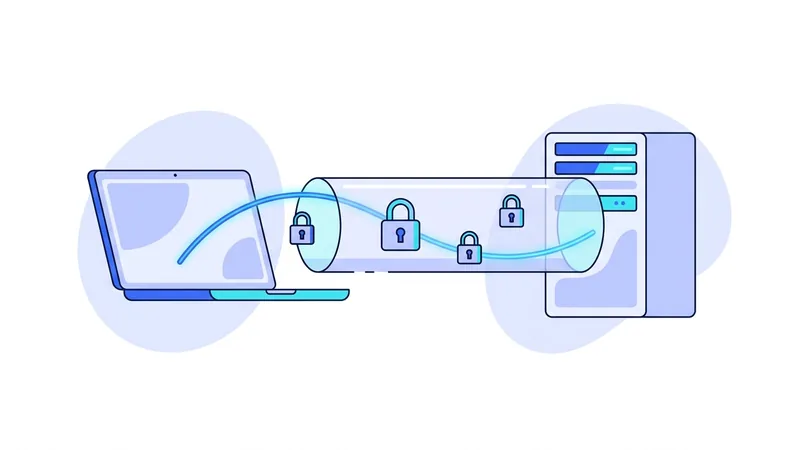
When your VPN connects, your device and the VPN server agree on a shared secret key. From that moment, every piece of data your device sends gets scrambled with that key before it leaves. The server unscrambles it on the other end and forwards it to its destination. Replies make the same trip in reverse.
Anyone watching the network in between, your internet provider, a hotel Wi-Fi owner, a stranger on the same network, sees only random-looking noise flowing to one server. Without the key, that noise is useless. There is no shortcut, no clever trick, no way to guess a modern key by force in any realistic amount of time.
This work happens on every packet, thousands of times per second, and your device handles it without breaking a sweat. Modern processors are built for this. If you want to see where encryption fits in the full connection process, our walkthrough of how VPNs work covers each step.
The Two Ciphers You Will Meet
A cipher is the recipe used to scramble data. VPNs use symmetric ciphers for the heavy lifting, meaning the same key locks and unlocks the data. Two ciphers dominate the VPN world today, and both are excellent.
AES-256-GCM
AES stands for Advanced Encryption Standard. It was selected through a public competition in 2001 and has been studied by cryptographers ever since. The 256 refers to the key length in bits, and GCM is a mode that adds tamper detection. AES protects banking systems, government data, and most of the encrypted web. Many processors include dedicated AES instructions, so it runs extremely fast on laptops and desktops.
ChaCha20-Poly1305
ChaCha20 is a newer design by cryptographer Daniel Bernstein. It pairs with Poly1305 for tamper detection. Its strength is speed in pure software, with no special chip features needed. That makes it very fast on phones, routers, and older hardware. The protocol vpn.now uses relies on it exclusively.
| Factor | AES-256-GCM | ChaCha20-Poly1305 |
|---|---|---|
| First published | 2001 (AES standard) | 2008 (ChaCha20) |
| Key length | 256 bits | 256 bits |
| Fastest on | Chips with AES hardware support | Phones and devices without AES hardware |
| Used by | OpenVPN, IKEv2, most of HTTPS | Modern VPN protocols, much of mobile HTTPS |
| Known practical breaks | None | None |
The honest takeaway: you do not need to pick a winner. Both are trusted across the industry. Your protocol choice decides which one you use, and either choice is safe. Our comparison of our protocol compared to OpenVPN explains how the protocols differ in practice.
The Handshake: Agreeing on Keys Safely
Here is the puzzle at the heart of all this. Your device and the server need to share a secret key, but they can only talk over the open internet, where anyone might be listening. How do you agree on a secret in public?
The answer is public-key cryptography. Each side holds a key pair: a public key it can share freely and a private key it never reveals. During the handshake, the two sides exchange public keys and each combines the other's public key with its own private key. The math works out so both sides compute the same shared secret, while an eavesdropper who saw the whole exchange cannot.
The handshake also proves identity. Your device checks that it is talking to the real VPN server and not an impostor, and the server checks that your account or device key is allowed to connect. In the protocol vpn.now uses this whole dance completes in a fraction of a second, which is why connections feel instant.
Forward Secrecy: Protecting the Past
Good protocols do not use one key forever. They generate fresh session keys for each connection and rotate them during long sessions. This habit has a name: forward secrecy.
Why it matters: imagine someone records your encrypted traffic today and steals a key next year. With forward secrecy, that stolen key unlocks nothing, because the keys that protected today's traffic were temporary and are long gone. Each session stands alone. Both the protocol vpn.now uses and well-configured OpenVPN provide this property.
Tamper Detection: The Quiet Second Job
Encryption gets the headlines, but modern ciphers do a second job that deserves more credit. Every packet carries a short mathematical proof, called an authentication tag, that confirms the packet arrived exactly as it was sent.
If anyone on the network path modifies even one bit of a packet, the tag check fails and the packet is silently dropped. So an attacker between you and the server cannot inject content into your pages, swap a download for a fake one inside the tunnel, or quietly edit your traffic. The GCM in AES-256-GCM and the Poly1305 in ChaCha20-Poly1305 are the parts doing this work.
Tip: skip any VPN settings screen that asks you to choose a cipher manually unless you have a specific reason. The defaults in modern protocols and modern OpenVPN are already the strong choices, and changing them rarely improves anything.
What Encryption Cannot Do
Encryption protects data in transit. That is the whole job, and it is worth stating the limits plainly:
- It does not hide that you are using a VPN. Your internet provider can see an encrypted stream flowing to a VPN server, even though it cannot read what is inside.
- It does not protect data at rest. Files on your laptop, photos on your phone, and messages stored by an app are outside the tunnel's reach.
- It does not stop phishing. If you type your password into a fake login page, it travels through the tunnel perfectly encrypted, straight to the scammer.
- It does not block malware. An infected download is encrypted in transit and just as infected when it arrives.
- It does not make you anonymous. Accounts you sign in to and cookies in your browser identify you regardless of encryption.
The endpoints matter too. Your data is decrypted on the VPN server before it travels onward to the website you asked for, where HTTPS usually takes over. Encryption secures the path, not the destinations.
Reading Encryption Claims in VPN Marketing
Once you know the basics, marketing claims get easier to judge. Phrases that lean on drama instead of detail are a yellow flag. What you actually want to see is specific: which protocols a service runs, which ciphers those protocols use, and whether the apps are kept current. A provider should be able to state all of this plainly, the way we do on our protocols page.
Be skeptical of anyone hinting that their encryption is special or secret. In cryptography, public and boring is good. The ciphers that protect you best are the ones thousands of researchers have attacked for years and failed to break. A custom secret cipher has skipped that test, which makes it weaker, not stronger.
If you want to try a properly configured setup without spending anything, vpn.now runs the same protocol and encryption on its free plan as on paid plans, so you can see how this all feels in daily use.
Key length and bits: what AES-256 versus AES-128 really means
You will often see a cipher written with a number after it, like AES-128 or AES-256. That number is the size of the secret key in bits. A bit is a single one or zero, so a 128-bit key is a secret made of 128 of them. Each extra bit doubles how many possible keys there are, so the count grows fast. AES-128 already has more possible keys than anyone could test by trying them one at a time, even with every computer on Earth working together for a very long time. AES-256 has far more still. In plain terms, both are considered out of reach for brute force guessing with today's technology, so for a VPN the practical difference is margin, not a real weakness in the smaller one.
So why not always pick the biggest number? A longer key adds a little extra work for your device each time it scrambles or unscrambles data. More importantly, the key length is rarely the part that breaks. Attackers tend to go around the cipher, not through it. The weak spots in real systems are usually things like:
- Weak or reused passwords that protect an account or device.
- A phone or laptop that is already infected or left unlocked.
- Sloppy setup, outdated software, or a leaked secret.
This is why you should be careful with marketing that waves a big key size around as if it settles everything. A larger number looks impressive, but it tells you almost nothing about how the whole product is built or run. At vpn.now we treat key length as one small detail among many. Strong encryption matters, and both common key sizes clear that bar by a wide margin. What protects you day to day is the habits and care around it.
Summary
The key points about VPN encryption:
- A VPN scrambles your traffic with a symmetric cipher, either AES-256-GCM or ChaCha20-Poly1305. Both are trusted and unbroken.
- The handshake uses public-key math so your device and the server can agree on secret keys over a public network.
- Forward secrecy means temporary session keys, so past traffic stays protected even if a key leaks later.
- Authentication tags catch tampering, so packets cannot be modified in transit without being detected.
- Encryption protects data on the move. It does not stop phishing, malware, or tracking by the accounts you use.
- Prefer providers that name their protocols and ciphers plainly instead of leaning on dramatic language.