Man in the Middle Attacks and How a VPN Helps
Key points
- Attackers get between you and the internet through rogue hotspots, ARP spoofing, or DNS control.
- HTTPS protects session content, so today's damage is metadata, redirection, and weakly encrypted app traffic.
- A VPN wraps everything in one encrypted tunnel, blocking the attacker's view, tampering, and DNS tricks.
- No VPN stops phishing, and never click through certificate warnings on networks you do not control.
On this page
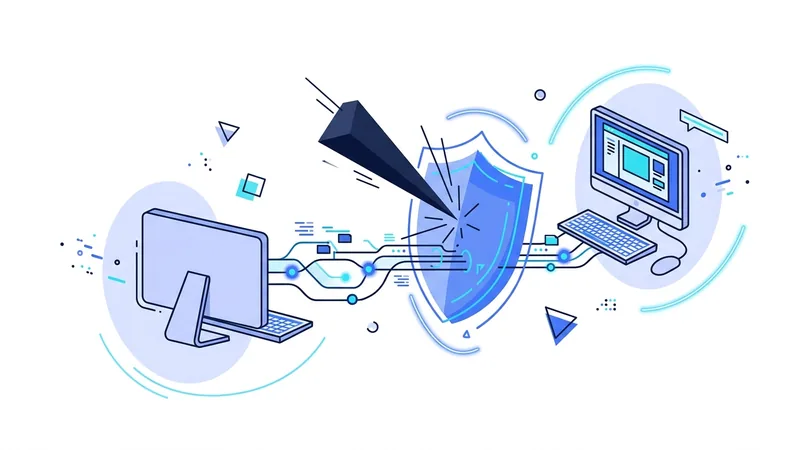
A man in the middle attack is exactly what it sounds like. Someone positions themselves between your device and the internet, so your traffic flows through equipment they control. You think you are talking to the network. You are actually talking to them, and they pass your traffic along while watching it.
It sounds like spy fiction, but the tools are point and click, and the most common setting is ordinary public Wi-Fi. The attack has also changed shape over the years. Encryption now protects far more of the web than it used to, which limits what an attacker in the middle can do. It does not limit it to zero.
This article explains how attackers get into the middle, what they can actually accomplish today, and where a VPN helps. Spoiler for the honest part: a VPN blocks the network-level damage well, and it does nothing about phishing.
How Attackers Get Into the Middle
An attacker needs to put their equipment on the path between you and the internet. There are three common ways to do it, and none of them require breaking into anything.
Rogue hotspots
The simplest method is to run a Wi-Fi network with a trustworthy name and wait for people to join. Wi-Fi names are not verified by anyone, so a network called "Hotel_Guest_WiFi" might be the hotel's, or it might be a pocket router in a backpack two tables away. This trick is common enough to have its own name, and we cover it fully in our article on evil twin hotspots.
ARP spoofing on shared networks
On a network you have already joined, devices find each other using a system called ARP, which is old and trusting. An attacker on the same network can send forged ARP messages that say, in effect, "I am the router." Your device believes it, and your traffic starts flowing through the attacker's machine before reaching the real router. Free tools automate this completely.
DNS tricks
DNS translates site names into addresses. Whoever controls your DNS can answer your lookups dishonestly, steering you toward a copy of a site instead of the real one. On a hostile network, the attacker usually controls DNS by default, because your device politely asks the network which resolver to use. Our DNS leak guide explains how to check where your lookups actually go.
What an Attacker in the Middle Can Do Today
Fifteen years ago, this position was devastating. Most websites ran without encryption, so an attacker could read passwords and emails straight off the wire. Today nearly every major site uses HTTPS, which encrypts the content of your sessions and lets your browser detect impostor certificates. That is real progress, and our article on whether HTTPS is enough digs into the details.
So what is left for the attacker? More than you might hope:
- A map of your activity. DNS lookups and connection metadata reveal every site and app you use, when, and for how long, even when content is encrypted.
- Redirection. Controlling DNS lets the attacker steer you to fake pages and hope you do not notice the warning signs.
- Downgrade attempts. The attacker can try to push your connection onto weaker or unencrypted channels, hoping software accepts it. Modern browsers resist this well. Older apps and devices sometimes do not.
- The weak stragglers. Smart TVs, old apps, and cheap connected gadgets often use poor or missing encryption. Their traffic is readable and editable.
- Injection into unencrypted traffic. Anything still traveling over plain HTTP can be read and modified in transit, including adding malicious content to pages.
How a VPN Changes the Picture
A VPN encrypts everything your device sends into one tunnel before it touches the local network. That single fact removes most of the attacker's options, because the middle of your connection stops being a useful place to stand.
| Attacker capability | Without a VPN | With a VPN |
|---|---|---|
| See which sites and apps you use | Yes, via DNS and metadata | No, lookups travel inside the tunnel |
| Redirect you with fake DNS answers | Yes | No, the VPN's resolver answers instead |
| Read or modify unencrypted app traffic | Yes | No, it is wrapped in the tunnel |
| Read content of HTTPS sessions | No | No |
| Trick you into typing a password on a fake page you chose to visit | Yes | Yes |
Read that last row honestly. A VPN secures the path. It cannot secure your judgment. If a phishing email convinces you to visit a fake site and log in, the VPN carries your mistake faithfully and securely to the scammer.
One more honest note: the VPN provider itself now sits on your traffic path. HTTPS keeps your session content encrypted even from the VPN server, but provider trust still matters. Pick one whose policies and track record you can actually check.
Habits That Close the Remaining Gaps
A VPN handles the network layer. A few habits cover the rest:
- Never click through browser certificate warnings on networks you do not control. That warning is often the only visible sign of an active attack.
- Connect the VPN before you start browsing on any public network, not after. Our routine for public Wi-Fi safety walks through the order of operations.
- Keep your operating system and browser updated. Downgrade attacks prey on old software.
- Use two-factor authentication on important accounts, so a stolen password alone is not enough.
- Treat login pages reached from emails or pop-ups with suspicion. Type important addresses yourself.
Tip: if a familiar website suddenly shows a certificate warning, looks slightly wrong, or asks you to log in again unexpectedly while you are on public Wi-Fi, stop. Disconnect from that network and use mobile data instead. Trust that instinct, it is usually right.
Do You Need to Worry at Home?
Man in the middle attacks need access to your network path, and your home network is a much harder target than a cafe. An attacker would need your Wi-Fi password, a compromised router, or access to infrastructure upstream. Those things happen, but rarely to ordinary people.
That said, the home version of the threat is worth one paragraph. Routers ship with default admin passwords, and many never receive a firmware update after the day they are plugged in. A router that someone else controls is a man in the middle by definition, sitting on every byte your household sends. Change the admin password, apply updates when they exist, and replace hardware that stopped getting them years ago. Those three chores protect the path a VPN cannot see: the stretch between your devices and your own router.
The realistic risk lives on networks you share with strangers: hotels, airports, cafes, campuses, conferences. That is where the cost of running a VPN is most clearly worth it. If you want that protection across all your devices without juggling free tiers, vpn.now's plans cover every device you carry into those places.
The common techniques, named plainly
When you read about man in the middle attacks, the same method names keep coming up. Here is what each one really means in plain words, and where vpn.now can help. The short version is that a VPN works at the network layer, so it protects the path your traffic takes. It does not replace careful browser habits, and the two work best together.
- ARP spoofing. An attacker on the same local network tricks your device into sending its traffic through them first. A VPN encrypts that traffic, so even if it passes through the attacker, they see scrambled data instead of readable content.
- Rogue or spoofed DNS. DNS is how your device looks up the address for a website. An attacker can answer those lookups with the wrong address to send you to a fake site. Routing DNS through vpn.now reduces the chance of local tampering.
- SSL stripping. Here the attacker tries to downgrade your connection from secure HTTPS to plain HTTP so they can read it. Modern browsers and an HTTPS-only setting resist this on their own, and a VPN adds another layer of cover.
- Fake or evil-twin hotspot. This is a Wi-Fi access point set up to look real, like one named after a coffee shop. If you join it, the attacker sits in the middle from the very start.
None of this means you should be afraid to get online. Most of these methods need the attacker to be close to you or on the same network, and each one has a clear defense. Keep your browser updated, watch for HTTPS, and let the encryption handle the path your traffic travels.
Summary
What to remember about man in the middle attacks:
- The attack means a stranger sits on your network path, usually via a rogue hotspot, ARP spoofing, or DNS control.
- HTTPS protects session content, so the modern damage is metadata, redirection, and the traffic of weakly protected apps.
- A VPN wraps everything in one encrypted tunnel, removing the attacker's view and their ability to tamper or redirect.
- No VPN stops phishing. A fake page you choose to trust defeats every layer of transit encryption.
- Never bypass certificate warnings on public networks, and connect the VPN before you browse.