VPN vs Incognito Mode: They Solve Different Problems
Key points
- Incognito mode only controls what your own browser remembers. It hides nothing from the network.
- A VPN controls what the network sees but does not clear your history or cookies.
- Incognito does not hide your IP address from websites or your browsing from your internet provider.
- The two tools stack well: VPN for the connection, incognito for the device, used together when needed.
On this page
Plenty of people open an incognito window and believe they have gone dark. Browser makers even had to add warnings to the incognito start page because the misunderstanding was so common. Meanwhile, VPN ads sometimes imply a VPN makes private browsing pointless. Both ideas are wrong in different directions.
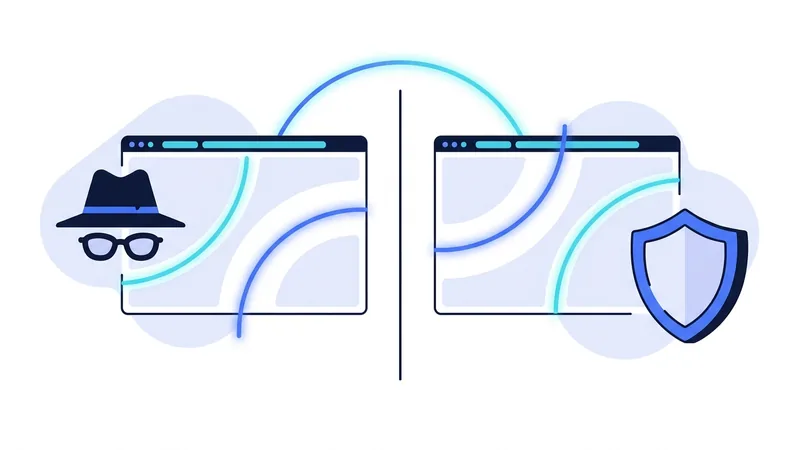
Incognito mode and a VPN are both real tools that do real things. They just operate on completely different layers. Incognito controls what your own browser remembers. A VPN controls what the network between you and the internet can see. Once that distinction clicks, choosing becomes easy.
What Incognito Mode Actually Does
A private or incognito window changes how your browser handles local storage during the session. Specifically, it does these things:
- Keeps the session out of your browsing history.
- Starts with no cookies and deletes the session's cookies when you close the window.
- Does not save form entries, search suggestions, or passwords from the session.
- Signs you out of everything by default, since your normal cookies are not loaded.
That is genuinely useful. Shopping for a surprise gift on a shared family computer? Incognito keeps it out of the autocomplete. Checking your email on a friend's laptop? Incognito means closing the window logs you out cleanly. Want search results uncolored by your usual cookies? Incognito gives you a blank slate.
Notice that every item on the list is about your own device. Nothing on it touches the network. The browser cannot reach beyond your machine, and incognito mode never claimed otherwise. The misunderstanding grew around the feature, not from it, and the browsers themselves now spell out the limits in plain text on every new private window.
What Incognito Mode Does Not Do
Here is the part the warning labels exist for. In an incognito window:
- Your internet provider sees exactly the same traffic it always sees, including every domain you visit. Our breakdown of what your ISP can see applies in full.
- Websites see your real IP address and rough location.
- Your employer or school network sees your activity if you are on their connection.
- Fingerprinting still recognizes your browser, since your hardware and settings have not changed.
- Anything you sign in to knows who you are the moment you sign in.
Incognito is a privacy tool aimed at people who share your device. It offers nothing against anyone watching the wire.
What a VPN Does, and Does Not Do
A VPN works on the opposite layer. It encrypts your traffic before it leaves your device and routes it through a remote server. Your internet provider sees one scrambled stream instead of your browsing destinations. Websites see the server's IP address instead of yours. The basics are covered in our plain English VPN guide if you want the full picture.
And the mirror-image limitations: a VPN does nothing about your local browser history, which keeps recording. It does not block or delete cookies, so trackers that recognized your browser yesterday recognize it today. It does not log you out of anything. Everything incognito mode handles, a VPN ignores, and the reverse.
Side by Side
| What you want to hide | Incognito mode | VPN |
|---|---|---|
| History from others using your device | Yes | No |
| Browsing from your internet provider | No | Yes |
| Your IP address from websites | No | Yes |
| Activity from your workplace or school network | No | Yes, at the network level |
| Cookies carrying over after the session | Yes, session cookies are dropped | No |
| Browser fingerprinting | No | No |
| Your identity from sites you sign in to | No | No |
The last two rows deserve attention. Neither tool stops fingerprinting, and neither hides you from a service you log in to. Tracking that happens inside the page is a separate battle, which our guide to cookies and online tracking covers with its own set of fixes.
When to Use Which
Reach for incognito mode when
- You are using a shared or borrowed device and want to leave no trace on it.
- You want to check how a page looks while logged out, or compare prices without your usual cookies.
- You are searching for something you would rather not see in autocomplete forever.
Reach for a VPN when
- You are on public Wi-Fi or any network you do not control.
- You do not want your internet provider building a list of the sites you visit.
- You want websites to see a shared server address instead of your home IP.
Use both together when
- You want a session that is hidden from the network and also leaves nothing behind locally. The two tools stack cleanly because they never overlap.
Tip: if you only remember one thing, remember the direction each tool faces. Incognito faces inward, protecting you from people who can touch your device. A VPN faces outward, protecting you from observers on the network. No setting in either tool changes its direction.
Where the Confusion Comes From
It is worth asking why so many people mix these tools up, because the answer helps the lesson stick. Both are sold with the same vocabulary. Browsers call it private browsing. VPNs promise private connections. The word private does the same marketing job in both places while pointing at completely different protections, and nobody reads the fine print under a reassuring word.
The dark window does not help either. An incognito window looks different, with its shaded theme and spy-style icon, and that visual change creates a feeling of stealth that the feature never promised. A VPN app's green connected badge produces the same false comfort in the other direction, leading people to assume their history and cookies are handled. In both cases the interface communicates more protection than the tool delivers. The cure is the one-sentence model from this article: incognito manages your device's memory, a VPN manages your connection's visibility. Say it once before relying on either tool and the marketing loses its grip.
What If You Need More Than Both?
Some people arrive at this comparison because they need stronger anonymity than either tool provides, for example journalists or people in high-risk situations. For that, the relevant comparison is not incognito versus VPN but VPN versus Tor, which routes traffic through multiple independent relays at a real cost in speed. Our VPN versus Tor guide explains the trade-offs honestly. A VPN and incognito together are a strong everyday setup, but neither claims to make you untraceable, and you should be suspicious of any product that does.
For the everyday case, the combination is cheap and easy: incognito is free and built in, and a solid VPN costs a few dollars a month. You can see what that looks like on the vpn.now plans page, including what each plan renews at after the first term.
A private browsing recipe that actually works
Each tool covers one gap and leaves another open. Incognito stops your own browser from saving history and cookies, but the network and the sites you visit still see you. vpn.now hides your IP address and your traffic from the network and the sites, but it does not stop your browser from saving what you did. Used together in the right order, they cover for each other. The order and one habit, staying signed out, matter as much as the tools themselves.
Here is a simple routine you can follow every time:
- Open a private or incognito window first, so your local history, cookies, and saved form data are not kept after you close it.
- Turn on vpn.now before you load any page, so your IP address and traffic are hidden from your network and the sites you visit from the very first request.
- Stay signed out of your accounts, because logging in re-attaches your name to the session and quietly defeats both tools at once.
Be honest with yourself about what this gives you. This routine reduces tracking, but it is not anonymity. Browser fingerprinting can still recognize the same browser by its settings and features, even with a fresh window and a hidden IP. And the moment you sign in to email, social media, or a shopping account, that session is tied to you again, no matter how careful the setup was. The recipe works because of the sequence and the sign-out habit, not because any single switch makes you invisible.
Summary
The clean version of this comparison:
- Incognito mode controls what your own browser remembers. It hides nothing from the network.
- A VPN controls what the network sees. It changes nothing on your local device.
- Incognito does not hide your IP address. A VPN does not clear your history or cookies.
- Neither tool stops fingerprinting or hides you from services you sign in to.
- They stack well: VPN for the connection, incognito for the device, used together when you want both layers.