Cookies and Online Tracking: How Sites Follow You Around
Key points
- A cookie is a small text note a site stores in your browser, harmless itself but used for tracking.
- First party cookies mostly make sites work, while third party cookies follow you across different sites.
- As browsers block third party cookies, tracking shifts to fingerprinting, logged-in platforms, and link decoration.
- A VPN does not block cookies. Use a privacy browser, content blocker, and sign out of unused platforms.
On this page
You look at a pair of shoes once, and ads for them follow you to news sites, weather apps, and social feeds for two weeks. Most people have had this experience. It feels like magic or surveillance, and it is closer to the second. The machinery behind it is built largely on cookies.
Cookies themselves are simple and mostly harmless. What got complicated is how advertisers learned to use them across thousands of sites at once. This article explains the mechanics in plain language: what cookies do, how cross-site tracking works, what is replacing it, and which defenses actually help.
What a Cookie Actually Is
A cookie is a small piece of text that a website asks your browser to store. On your next visit, your browser sends it back. That is the entire mechanism. There is no program inside, no camera, no access to your files.
The original purpose was memory. Websites have no built-in way to remember you between page loads, so cookies gave them one. Your shopping cart, your login session, and your language preference all typically live in cookies. Without them, you would sign in again on every single page.
The privacy problem is not the mechanism. It is who sets the cookie and how widely it gets read.
First Party vs Third Party
The distinction that matters most is whose cookie it is:
| Type | Set by | Typical purpose | Privacy concern |
|---|---|---|---|
| First party cookie | The site you are visiting | Logins, carts, preferences | Low, scoped to one site |
| Third party cookie | Another company embedded in the page | Cross-site tracking and ads | High, follows you between sites |
| Session cookie | Either | Temporary, deleted when you close the browser | Low |
| Persistent cookie | Either | Stored for days, months, or years | Depends on who set it |
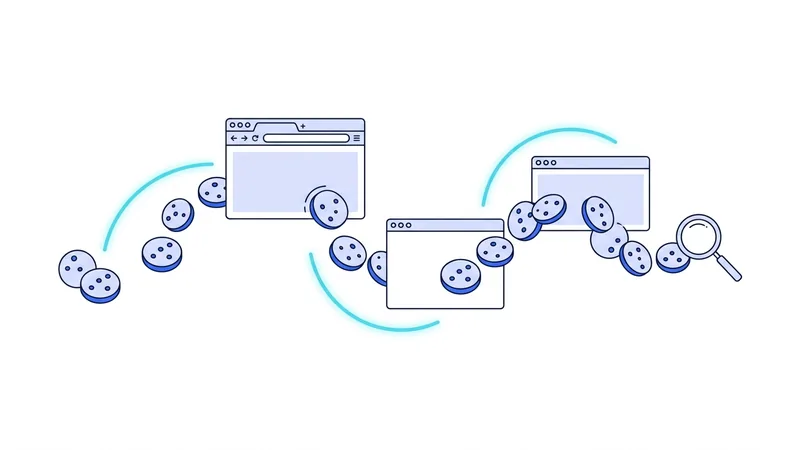
Here is how the third party kind enables tracking. A news site embeds an ad network's script. That script sets a cookie from the ad company's domain. Later, you visit a shopping site that uses the same ad network. The same cookie comes back to the same company, which now knows one browser visited both sites. Repeat across thousands of sites, and the ad company holds a long history of where that browser has been.
The company does not necessarily know your name. It knows browser number 84,302,117 reads cycling news, shops for running shoes, and checks flight prices to Lisbon. For advertising purposes, that profile is the product.
Tracking Beyond Cookies
Browsers have been clamping down on third party cookies for years. Safari and Firefox block most of them by default, and the industry has been moving away from them. That is real progress, but tracking did not stop. It moved.
- Fingerprinting. Sites recognize your browser by its characteristics instead of a stored cookie. Nothing to delete, nothing to block in the usual way. Our guide to browser fingerprinting covers this in depth.
- Logged-in tracking. When you are signed in to a large platform, it does not need cookies tricks to know who you are. Its buttons and embeds across the web report your visits directly to your account.
- Link decoration. Tracking codes added to the links you click carry identifiers from one site to the next, passing the baton without a cookie.
- First party data deals. Sites collect your email through newsletters and logins, then match it with partners behind the scenes.
There are also storage tricks beyond classic cookies. Browsers offer several other places a site can stash data, such as local storage and cached files, and trackers have used all of them to rebuild deleted identifiers. Privacy researchers call these supercookies when they are designed to survive normal clearing. Modern browsers have closed many of these gaps by clearing the storage types together, but the pattern repeats: when one door closes, the industry tests the others.
The lesson is that no single switch turns tracking off. Each method needs its own response.
Where a VPN Fits In
It is worth being precise here, because VPN marketing often is not. Cookies live inside your browser and travel inside your encrypted web traffic. A VPN does not see them, does not block them, and does not delete them. If an ad network recognized your browser yesterday, it will recognize it today through a VPN tunnel.
What a VPN does change is the network layer. It removes your real IP address from the signals trackers collect, which weakens their ability to tie your sessions to a location or household. It also hides which sites you visit from your internet provider, which is a separate tracking party people often forget. Our overview of what a VPN is and does draws the full boundary.
So the honest framing is this: a VPN handles the network observers, and your browser settings handle the trackers inside the pages. You need both layers, because neither covers the other's ground.
Practical Defenses That Work
You can cut tracking dramatically with about fifteen minutes of setup:
- Use a browser that blocks third party cookies by default. Firefox, Safari, and Brave all do. This single choice removes the classic cross-site mechanism.
- Add a reputable content blocker. Blocking tracker scripts stops collection at the source, including many fingerprinting and link decoration tricks.
- Reject optional cookies on consent banners. It takes one extra click and meaningfully reduces what sites are allowed to do in many regions.
- Clear cookies on a schedule, or use containers. Some browsers can wall off each site's cookies so they cannot see each other.
- Sign out of platforms you are not actively using. Logged-in sessions are the strongest tracking identifier there is, and no browser setting overrides them.
- Check your phone too. Apps track through software kits and an advertising ID. Both major phone systems have settings to limit or reset ad tracking.
Tip: open your browser's cookie storage settings and look at the list of stored cookies right now. Seeing two thousand entries from sites you visited once makes the problem concrete, and clearing the third party ones is a satisfying place to start.
Do Not Forget Private Browsing's Limits
Private or incognito windows throw away cookies when you close them, which makes them useful for shared computers and one-off searches. But they do not block tracking during the session, they do not hide your IP address, and they do nothing about fingerprinting. They are a cleanup tool, not a shield. We compare the options properly in our VPN versus incognito mode guide.
If you decide to add the network layer to your setup, you can test how it feels in daily use before paying anything. The vpn.now free plan covers everyday browsing and pairs naturally with the browser changes above.
The End of Third-Party Cookies, and What Is Replacing Them
You may have heard that third-party cookies are going away. That part is mostly true. Safari and Firefox already block them by default, and Chrome has been moving in the same direction for years. It is easy to read that news and think tracking is over. It is not. The third-party cookie is just one tool. As it fades, companies have shifted to other methods that are often harder to see and harder to block.
Here is what is taking its place. Much of it is honest to name plainly:
- First-party data and logins. When you sign in to a site, it can track you directly under its own name, no third-party cookie needed.
- Server-side and first-party tracking. Data is collected on the company's own servers, which is tougher for browsers and extensions to stop.
- Email-based identifiers. Your email address, often turned into a scrambled code, gets used to match you across different sites and services.
- Browser-built ad systems. New approaches sometimes grouped under names like Privacy Sandbox or Topics try to show interest-based ads without the old third-party cookie, with the browser itself sorting you into interest groups.
The honest takeaway is that the death of the third-party cookie shifts tracking rather than ending it. The defenses that still matter are the ones tied to your accounts: limit the logins you create, stay signed out when you do not need an account, clean up old accounts, and use a reputable tracker-blocking tool. Cookie settings alone no longer cover the gap.
A VPN does not change any of this. It can hide your IP address and your network location, but it cannot stop a site you log in to from knowing who you are. Using vpn.now alongside good account hygiene is the realistic approach, not a substitute for it.
Summary
The short version of cookies and tracking:
- A cookie is a small text note a site stores in your browser. The mechanism is harmless. The use is what matters.
- First party cookies mostly make sites work. Third party cookies exist mainly to follow you across sites.
- As browsers block third party cookies, tracking is shifting to fingerprinting, logged-in platforms, and link decoration.
- A VPN does not block cookies. It removes the IP signal and hides your browsing from your internet provider.
- The strongest combination is a privacy-respecting browser, a content blocker, rejected consent banners, and signing out of platforms you are not using.