Data Brokers, Your IP Address, and What a VPN Hides
Key points
- Data brokers build profiles from many sources, not mainly your IP address.
- An IP address is a small slice that hints at location and links sessions.
- A VPN hides your IP from sites and your browsing from your internet provider.
- A VPN cannot erase data brokers already hold or stop accounts sharing data.
On this page
- What Data Brokers Actually Collect
- The Small Slice an IP Address Represents
- What a VPN Removes From the Picture
- What a VPN Cannot Remove
- A VPN Against Broker Data Sources
- Cookies and Accounts Do the Heavy Lifting
- Practical Steps to Limit Data Brokers
- How to actually opt out of data brokers
- Summary
- Frequently asked questions
Data brokers are companies you have probably never signed up with, yet they may hold detailed profiles about you. They collect information from many sources, package it, and sell it to advertisers, marketers, and others. A natural question follows: does a VPN protect you from them?
The honest answer is "a little, in one specific way." To see why, you need to understand what brokers actually collect, how small a slice your IP address really is, and what a VPN does and does not touch. For the broader context, our VPN privacy guide covers what a VPN hides overall.
What Data Brokers Actually Collect
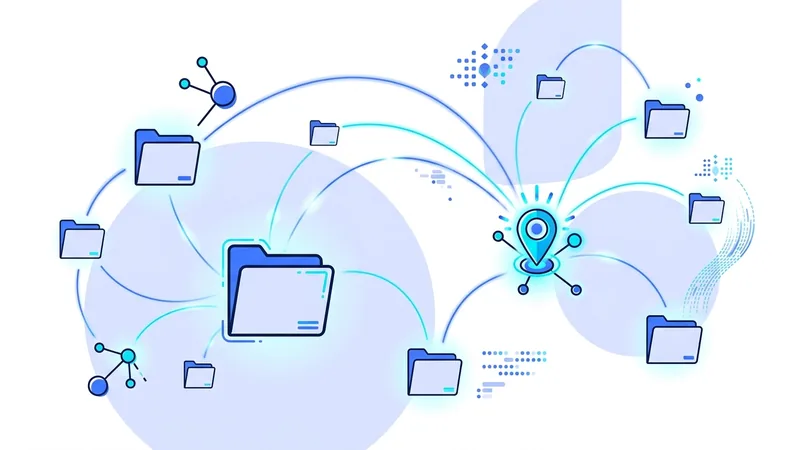
The first surprise is how little of a broker's profile comes from anything a VPN can affect. Brokers assemble data from a wide range of sources, most of which have nothing to do with your IP address:
- Public records. Property records, court filings, voter rolls, and similar documents.
- Purchases and loyalty programs. What you buy, where, and how often, often linked through store cards.
- App and account activity. Data that apps and services collect and then share or sell onward.
- Cookies and tracking. Your behavior across sites, gathered by advertising networks.
- Other brokers. Profiles bought and merged with existing records to fill gaps.
Put together, these build a picture of your interests, habits, household, and rough location. The striking part is that your IP address is a minor ingredient compared to the data you hand over through accounts and purchases.
The Small Slice an IP Address Represents
People tend to overrate the IP address. It feels like a personal number, but on its own it is a weak identifier. An IP address mainly does two things for a tracker. It hints at your rough location, often only down to a city or region. And it can help link sessions together over a short period, as long as the address stays the same.
That is genuinely useful to advertisers, but it pales next to a logged-in account or a tracking cookie. Our guide to what an IP address is explains its limits in detail. The key takeaway here is that hiding your IP removes a hint, not your identity. A broker that already knows you from your accounts and purchases barely needs your IP at all.
What a VPN Removes From the Picture
Now the useful part. A VPN does two concrete things that touch a broker's data sources. First, it replaces your IP address with a shared server address, so sites and the trackers on them no longer see your real one. That removes the location hint and the session-linking that IP provided.
Second, it hides your browsing destinations from your internet provider. This matters because some providers have sold browsing data, which can feed broker profiles. With a VPN, your provider sees one encrypted stream instead of the domains you visit. Our guide to what your ISP sees covers this in full. So a VPN closes two specific intake channels. That is real, and it is limited.
What a VPN Cannot Remove
Here is where honesty matters. A VPN does nothing about most of what feeds a data broker, and pretending otherwise would mislead you.
It cannot erase profiles that brokers already hold. Data collected before today stays collected. It cannot stop a service you log in to from sharing your account activity, because your account, not your IP, is the link there. It cannot remove tracking cookies from your browser, and it cannot change your purchase history or public records. The point is covered more broadly in our guide on whether you can still be tracked with a VPN on.
Tip: a VPN reduces what new sources can collect about you going forward. It cannot undo the past. The most powerful privacy move is to hand over less data in the first place.
A VPN Against Broker Data Sources
This table maps a VPN onto the channels brokers use, so you can see exactly where it lands.
| Broker data source | Does a VPN help? | Why |
|---|---|---|
| Your IP address on websites | Yes | Replaced with a shared server address |
| Internet provider selling browsing data | Yes | Provider sees only an encrypted stream |
| Accounts and apps sharing your activity | No | Tied to your account, not your IP |
| Tracking cookies across sites | No | Cookies live in your browser |
| Public records and purchases | No | Collected offline and from stores |
| Profiles brokers already hold | No | A VPN cannot delete past data |
One column tells the story. A VPN helps with the network-facing sources and nothing else. That is worth having, and it is far from a complete answer to data brokers.
Cookies and Accounts Do the Heavy Lifting
It is worth repeating why a VPN falls short here, because it is the same reason it falls short for tracking in general. The most valuable data flows from things tied to your identity directly: the accounts you log in to and the cookies stored in your browser. Neither depends on your IP address, so neither cares about a VPN. Our guide to cookies and tracking shows how persistent these are.
That is why reducing data broker exposure is mostly about behavior, not a single tool. The data nobody collects is the only data that cannot end up in a broker's file.
Practical Steps to Limit Data Brokers
Use a layered approach. The VPN handles the network slice. Your habits handle the much larger rest.
- Run a VPN so your IP and your provider see as little as possible going forward.
- Share fewer real details. Skip optional fields and decline loyalty programs you do not need.
- Use opt-out and data deletion options where they exist in your region.
- Limit app permissions, especially location, contacts, and background activity.
- Clear cookies regularly and use a browser with tracking protection.
- Use a browser with strong defaults to cut down on cross-site tracking.
How to actually opt out of data brokers
A VPN does not remove your name from data broker lists. Hiding your IP address and opting out of brokers are two separate jobs. The opt-out part is its own ongoing chore, and there is no single button that finishes it. The good news is that many brokers have to honor opt-out or deletion requests, especially under laws like the EU GDPR and California's CCPA and CPRA. The hard part is that you usually have to ask each broker one at a time.
Here is a realistic way to start. Search your own name, plus your city or old addresses, and see which people-search sites list you. Write down the ones that show real details. Then go to each site, find its opt-out or "do not sell my info" page, and follow the steps to ask for removal or deletion. Some sites confirm by email or ask you to verify who you are before they take the listing down.
- Search your name and addresses to find which brokers list you.
- Send an opt-out or deletion request to each big people-search site, one by one.
- Re-check every few months, because listings often come back.
- If the manual work is too much, consider a paid removal service that repeats it for you.
Be honest with yourself about what this is. It is whack-a-mole. You remove a listing, and a few months later the same data shows up again from a new source, so you do it once more. A paid removal service can take over the repeating work, but it cannot promise a clean sweep either. vpn.now can hide your IP address while you browse, but the broker opt-out work is something only you or a service you trust can keep up over time.
Summary
- Data brokers build profiles from public records, purchases, app activity, cookies, and other brokers.
- Your IP address is a small slice that hints at location and links short sessions.
- A VPN hides your IP from sites and your browsing from your internet provider.
- A VPN cannot erase profiles brokers already hold or stop accounts from sharing data.
- Cookies and logged-in accounts do most of the tracking, and a VPN does not touch them.
- Limiting brokers is mostly about handing over less data, with a VPN as one layer.
If you want to start with the network layer today, our free VPN plan lets you see how it fits before you decide on anything more.