VPN for Smart TVs and Streaming Devices
Key points
- Most smart TVs cannot run a VPN app, unlike phones and computers.
- Running the VPN on your router covers the TV and every device at home.
- A router VPN applies to all traffic, so you cannot toggle it per device easily.
- A VPN does not guarantee any streaming service will play on your TV.
On this page
- Why TVs Usually Cannot Run a VPN App
- The Usual Answer: Run the VPN on Your Router
- How a Router VPN Works for a TV
- The Trade-Offs of a Router Setup
- What a VPN Can and Cannot Do for Your TV
- A Quick Word on Speed
- Alternatives to a Router Setup
- Setting Honest Expectations for a TV
- What to Do When Your Smart TV Cannot Run a VPN
- Summary
- Frequently asked questions
Smart TVs and streaming devices are great for watching, but they are awkward for VPNs. Unlike your phone or laptop, most of them cannot run a VPN app at all. So if you want VPN protection on your TV, you usually have to take a different route, literally: you set the VPN up on your router.
This guide explains why TVs lack VPN apps, how a router setup solves it, the trade-offs involved, and what a VPN can and cannot do for a television. If VPNs are new to you, our introduction to VPNs covers the basics first.
Why TVs Usually Cannot Run a VPN App
Phones and computers run full operating systems that let you install almost any app, including a VPN client that takes over the device's networking. Most smart TVs and streaming sticks are more locked down. Their app stores are limited, and they often do not allow the kind of deep network access a VPN needs to work.
The result is that you cannot simply download a VPN app on most TVs the way you would on a phone. A few platforms have limited options, but for the majority, the device itself cannot host the tunnel. That is why the standard answer points somewhere else entirely: the router.
The Usual Answer: Run the VPN on Your Router
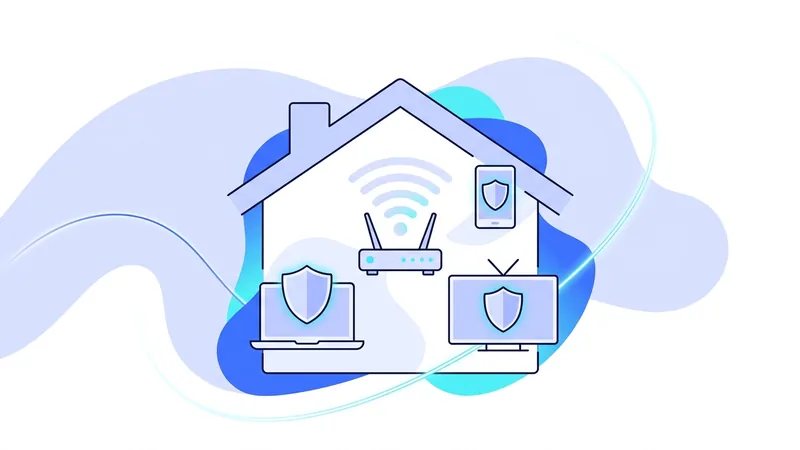
If the TV cannot run the VPN, the next device up the chain can. Your home router is what connects everything to the internet, so putting the VPN there covers every device behind it, including a TV with no VPN app of its own. The router builds the tunnel, and all traffic from the home flows through it.
This is the cleanest solution for TVs and streaming devices, and it has a bonus: it protects everything at home at once, from game consoles to smart speakers. We have a full walkthrough in our guide to running a VPN on a router, and if you want to set up the tunnel by hand, our manual tunnel setup guide covers the configuration steps.
How a Router VPN Works for a TV
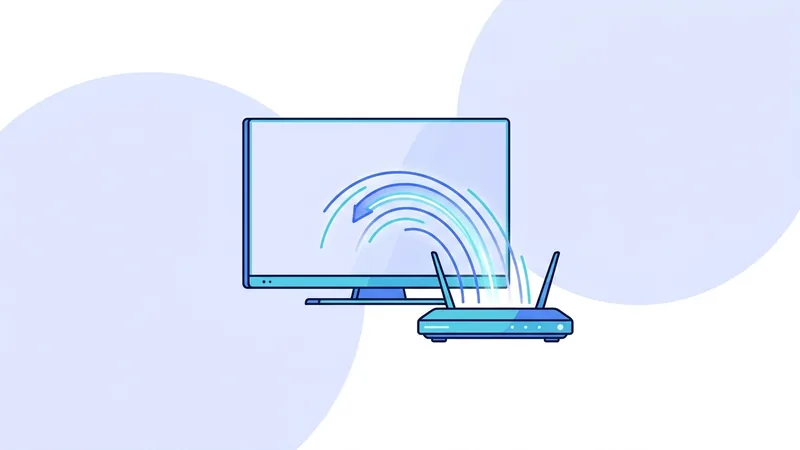
The idea is simple once you see it. Normally your TV talks to your router, and your router talks to the internet directly. With a VPN on the router, that second hop changes: the router encrypts the traffic and sends it through the VPN server first. The TV does nothing special. It just uses the network as usual, and the protection happens upstream.
Because the encryption work moves to the router, the quality of your router matters. A capable router handles this smoothly. A weak or old one may struggle, which we cover in the trade-offs next. Our guide to how VPNs work explains the tunnel mechanics that the router is now handling on the TV's behalf.
The Trade-Offs of a Router Setup
A router VPN is powerful, but it is not free of downsides. Knowing them up front saves frustration. The table below lays out the main trade-offs.
| Aspect | What to expect |
|---|---|
| Coverage | Every device on the router is protected, including the TV |
| Control | You cannot easily turn the VPN on for one device and off for another |
| Speed | The router does all the encryption, so it can be slower than an app on one device |
| Setup | More involved than installing an app, and not all routers support it |
| Server changes | Switching server location usually means changing the router setting |
The biggest one for most people is the all-or-nothing nature. With the VPN on the router, the whole home uses it. If you want some devices on the VPN and others off, you may need a router that supports per-device rules, or a second network. A router that was built with VPN support in mind handles these options far more gracefully than a basic stock model.
Tip: before setting up a router VPN, check that your router actually supports it. Many stock routers do not, and the feature is far easier on routers built with VPN support in mind.
What a VPN Can and Cannot Do for Your TV
Set expectations honestly. A router VPN encrypts your TV's traffic and changes the apparent location it connects from. That gives you privacy on your home connection and protects the TV's traffic like any other device. What it does not do is guarantee that any streaming service will play.
Streaming platforms detect and block VPN addresses, and a TV is no exception. A service that loads today may stop tomorrow, and no provider can promise otherwise. We cover this fully in our guide to a VPN for streaming. So use a router VPN for privacy and whole-home coverage, not as a guaranteed key to any catalog.
A Quick Word on Speed
Video needs steady bandwidth, and a router VPN adds an encryption step for everything in the home at once. If your TV starts buffering after you set up a router VPN, the usual fixes apply: choose a VPN server near you, make sure your router is powerful enough for the job, and confirm your base connection has enough spare bandwidth. You can compare locations on our server list. A VPN cannot create speed your connection does not already have.
Alternatives to a Router Setup
A router VPN is the most common answer, but it is not the only one, and a couple of alternatives suit some households better. If you mainly want VPN coverage for one TV, you can sometimes share a protected connection from a computer that is running the VPN, turning that computer into a gateway for the TV. This is more fiddly and depends on your devices, but it avoids changing your router.
Another option is to keep the VPN on the devices that support it, like phones and laptops, and accept that the TV stays outside the tunnel. For many people, the TV's traffic is not the sensitive part of their day, so protecting the devices that carry email, banking, and browsing may be enough. The right choice depends on what you actually want to protect, which is worth deciding before you invest effort in any setup.
Setting Honest Expectations for a TV
The most important thing is to be clear about why you are doing this. A router VPN gives your TV and your whole home network privacy and encryption on your home connection. That is a real, dependable benefit. What it does not give you is a guaranteed way to make any streaming service play, because services detect and block VPN addresses no matter which device asks.
So set up a router VPN for the privacy and the convenience of covering every device at once. Treat any change in what a streaming service shows as unpredictable and outside anyone's control. With that expectation, you will be satisfied with what the setup actually delivers rather than disappointed by what no provider can promise.
What to Do When Your Smart TV Cannot Run a VPN
Here is the honest truth most guides skip: many smart TVs cannot install a VPN app at all. Built-in TV systems like Samsung Tizen, LG webOS, and Roku do not support VPN apps. So if you own one of these, downloading a VPN straight to the TV is not an option. The good news is that you still have a few realistic ways to cover your TV, and the right one depends on how much setup you want to do.
Streaming devices that run a full app store are the easy path. An Amazon Fire TV Stick, an Android TV or Google TV device, and the NVIDIA Shield can each install a VPN app directly, the same way your phone does. If you only need to protect one TV, plugging in a supported streaming stick and installing the vpn.now app on it is the simplest fix. Setup takes a few more steps than on a phone, but it is straightforward.
Your other two options cover devices that have no app support:
- Run the VPN on your home router. Every device behind that router, including the TV, is then covered. This protects everything at once, but it takes more setup and can slow down your whole network.
- Share a VPN connection from a computer. This works in a pinch, but it leans on your computer staying on and configured correctly.
You may also see "Smart DNS" suggested for TVs. It is a different tool, not a VPN. Smart DNS does not encrypt your traffic, so it is not a privacy tool and should not be treated as one. If your goal is to keep your connection private, a VPN on a supported streaming device or your router is the path to look at first.
Summary
- Most smart TVs and streaming devices cannot run a VPN app of their own.
- The usual answer is to run the VPN on your router, which covers the TV automatically.
- A router VPN protects every device at home, but applies to all traffic at once.
- You cannot easily toggle a router VPN per device, and it can be slower.
- Check that your router supports a VPN before you start, since many do not.
- A VPN does not guarantee any streaming service will play on your TV.
If you want a provider that is honest about these limits, you can try our free VPN plan and read the details before deciding on more.