VPN for Small Business and Teams
Key points
- A consumer VPN protects staff traffic on untrusted networks like hotels and cafes.
- A consumer VPN does not connect to internal company systems like a corporate VPN.
- A corporate VPN gives access to private servers and internal resources.
- Pair a VPN with strong account security, since it does not stop phishing.
On this page
- Two Different Tools With the Same Name
- What a Consumer VPN Does for a Small Business
- What a Consumer VPN Does Not Replace
- Consumer VPN Versus Corporate VPN
- Account Security for Teams
- A Practical Setup for a Small Team
- Rolling a VPN Out to Staff
- Common Small-Business Mistakes
- A Personal VPN Is Not a Company Network
- Summary
- Frequently asked questions
Small teams often ask whether a VPN can protect the business. The answer depends entirely on which kind of VPN you mean, because the word covers two very different tools. One protects each person's traffic on the open internet. The other connects devices to a company's private network. Mixing them up leads to a real security gap.
This guide explains what a consumer VPN like ours does for a small business, what it does not do, and where a corporate VPN is the right tool instead. If you want the basics first, our plain English guide to what a VPN is covers the foundation.
Two Different Tools With the Same Name
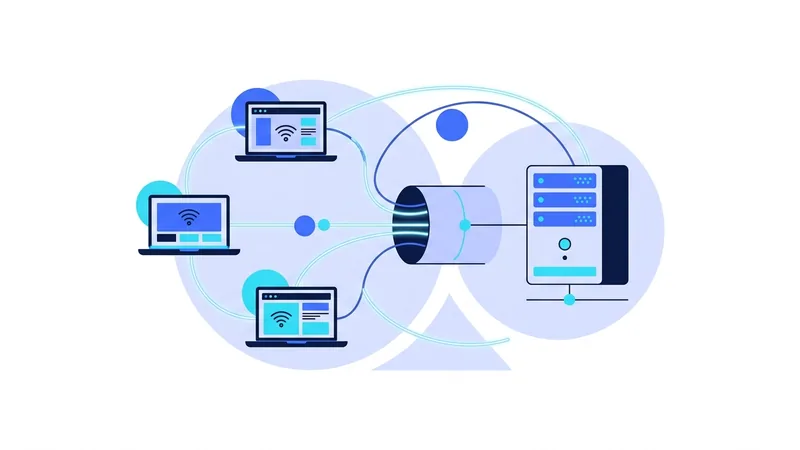
Start by separating the two. A consumer VPN, the kind individuals buy, encrypts traffic between a device and a VPN server, then sends it out to the internet. It hides the person's IP address and protects them on networks they do not control.
A corporate VPN does something else. It connects a device to the company's own private network, so staff can reach internal servers, shared files, and tools as if they were sitting in the office. The goal is internal access, not general internet privacy. Our guide to how VPNs work explains the tunnel mechanics that both share, but their purposes are not the same.
What a Consumer VPN Does for a Small Business
For a small team, a consumer VPN is genuinely useful in one main area: protecting staff on the road. People work from hotels, airports, cafes, and shared spaces, all networks the business does not control. A VPN encrypts their traffic on those networks so a snoop cannot watch it, the same protection we cover in our guide to using a VPN on public Wi-Fi.
It also hides each person's browsing from the local network and from the internet provider, and it gives a consistent, encrypted path to the internet wherever staff travel. For a distributed team that works from many locations, that is a real and affordable benefit. Our VPN for travel guide covers the habits that make this work well for people who move between networks often.
What a Consumer VPN Does Not Replace
Here is the honest boundary. A consumer VPN does not connect your team to internal company systems. If your business runs its own servers, internal apps, or private file storage that staff must reach securely from anywhere, that is a job for a corporate VPN or a similar access tool, not a consumer one.
It also does not replace the rest of your security stack. A VPN does not manage devices, does not back up data, and does not scan for malware. And it does not stop phishing, which is the most common way small businesses get breached. We cover that limit in our guide to whether HTTPS is enough and in our notes on account security below.
Tip: decide what you actually need before buying. "Protect staff on untrusted Wi-Fi" points to a consumer VPN. "Let staff reach our internal server from home" points to a corporate VPN. They are different purchases.
Consumer VPN Versus Corporate VPN
This table lines up the two so you can match the tool to the need.
| Need | Consumer VPN | Corporate VPN |
|---|---|---|
| Encrypt staff traffic on untrusted Wi-Fi | Yes | Sometimes, depends on setup |
| Hide each person's IP from websites | Yes | Not the main goal |
| Reach internal company servers | No | Yes |
| Access private files and internal tools | No | Yes |
| Central control over staff devices | No | Often, paired with other tools |
The split is clean. A consumer VPN owns the internet-privacy column. A corporate VPN owns the internal-access column. Many small businesses end up using both for different purposes.
Account Security for Teams
Whatever VPN you choose, the biggest small-business risks are phishing and weak passwords, and a VPN does not touch either. So pair it with the basics that actually stop those attacks. Require strong, unique passwords through a team password manager. Turn on two-factor authentication on email and key accounts first, since email resets everything else. Keep devices and apps updated.
If you roll out a consumer VPN to staff, protect those accounts too. Our guide to VPN account security covers protecting the subscription itself, which matters when several people rely on it.
A Practical Setup for a Small Team
For many small teams, a sensible setup looks like this. Use a consumer VPN to protect everyone's traffic when they work from untrusted networks, with each person connecting to a nearby server. If you have internal systems staff must reach, add a corporate VPN or access tool for that specific job. Then build the security basics around both. You can compare locations for the consumer side on our server list. The point is to match each tool to the need rather than expecting one product to do everything.
Rolling a VPN Out to Staff
If you decide a consumer VPN fits, a little planning makes the rollout smooth. Keep it simple for the team: most apps work well on their default settings, with a nearby server chosen automatically. Ask staff to turn on auto-connect for unknown networks so the protection does not depend on anyone remembering. And turn on the kill switch so a dropped tunnel does not quietly expose traffic on a hotel or cafe network.
Decide up front how you will manage accounts and billing. A shared business plan is tidier than a pile of personal subscriptions, and it makes it easier to add or remove people as the team changes. Whatever you choose, keep the credentials in your team password manager rather than scattered across inboxes, and protect them with two-factor authentication like any other business account.
Common Small-Business Mistakes
A few mistakes show up often, and all are avoidable. The first is treating a consumer VPN as if it secured internal systems. It does not, so if staff need to reach a company server, plan that separately. The second is assuming the VPN handles everything, then skipping device updates and backups. The VPN is one layer, and the others still matter.
The third is ignoring phishing because the team has a VPN. Phishing is the most common way small businesses are breached, and a VPN does nothing against it. Train staff to question unexpected requests, especially ones about money or passwords. A short, clear policy and a habit of double-checking beats any single tool for the threats a small team actually faces.
A fourth mistake is forgetting about people who leave. When someone departs, their access to shared tools and the VPN account should be removed promptly, and any shared passwords they knew should be changed. Small teams often skip this step because it feels awkward, but a former staff member with lingering access is a quiet risk that grows over time. Build offboarding into your routine the same way you build onboarding.
A Personal VPN Is Not a Company Network
It helps to know what vpn.now actually does for your team. A consumer VPN protects each person's internet connection and hides their IP address while they browse. That is real value when staff work from cafes, airports, or hotels. But it does not build a private company network, it does not give secure access to an internal office server, and it does not enforce security rules across every employee account. Those are different jobs that need different tools.
As a team grows, there are three categories worth knowing about. The first is a consumer VPN like vpn.now, which is for staff privacy on the road and on public Wi-Fi. The second is a business or site-to-site VPN, also called a remote-access gateway, which you set up when employees must reach systems that live inside your company, such as an internal file server or an in-house app. The third is zero-trust access, a newer approach where each person proves who they are and gets permission for one specific app at a time, instead of being let onto a whole network. Many teams now choose this path instead of a traditional company VPN.
Here is the honest part. You do not need a company VPN just because you have employees. If your team only browses the web and uses cloud apps like email, shared documents, and other online services, you often need only three things:
- Per-person privacy from a consumer VPN for public Wi-Fi and travel
- Strong account security, such as two-step sign-in on every important account
- A password manager so everyone uses long, unique passwords
Match the tool to the real need. Reach for a business or zero-trust setup only when people truly must connect to internal company systems. For most small teams that live in the browser and cloud apps, simple per-person protection plus good account habits is enough.
Summary
- "VPN" covers two tools: a consumer VPN for internet privacy and a corporate VPN for internal access.
- A consumer VPN protects staff traffic on untrusted networks like hotels and cafes.
- It does not connect a team to internal company servers or private resources.
- A corporate VPN handles internal access; the two are different purchases.
- A VPN does not replace device management, backups, or malware protection.
- Pair any VPN with strong passwords and two-factor authentication, since it does not stop phishing.
If a consumer VPN fits your team's needs, our plans and pricing page lays out what each option includes in plain terms.